Kemono zip download

Download kemono post in a zip file

θα χρειαστεί να εγκαταστήσετε μια επέκταση όπως το Tampermonkey, το Greasemonkey ή το Violentmonkey για να εγκαταστήσετε αυτόν τον κώδικα.

You will need to install an extension such as Tampermonkey to install this script.

θα χρειαστεί να εγκαταστήσετε μια επέκταση όπως το Tampermonkey ή το Violentmonkey για να εγκαταστήσετε αυτόν τον κώδικα.

θα χρειαστεί να εγκαταστήσετε μια επέκταση όπως το Tampermonkey ή το Userscripts για να εγκαταστήσετε αυτόν τον κώδικα.

You will need to install an extension such as Tampermonkey to install this script.

Θα χρειαστεί να εγκαταστήσετε μια επέκταση διαχείρισης κώδικα χρήστη για να εγκαταστήσετε αυτόν τον κώδικα.

(Έχω ήδη έναν διαχειριστή κώδικα χρήστη, επιτρέψτε μου να τον εγκαταστήσω!)

You will need to install an extension such as Stylus to install this style.

You will need to install an extension such as Stylus to install this style.

You will need to install an extension such as Stylus to install this style.

You will need to install a user style manager extension to install this style.

You will need to install a user style manager extension to install this style.

You will need to install a user style manager extension to install this style.

(Έχω ήδη έναν διαχειριστή στυλ χρήστη, επιτρέψτε μου να τον εγκαταστήσω!)

Δημιουργός
PYUDNG
Ημερήσιες εγκαταστάσεις
0
Σύνολο εγκαταστάσεων
1.211
Βαθμολογίες
17 5 3
Έκδοση
0.27.9
Δημιουργήθηκε την
10/02/2025
Ενημερώθηκε την
30/12/2025
Μέγεθος
200 KB
Άδεια
MIT
Εφαρμόζεται σε

This script is no longer maintained

Please migrate to the new script Kemono Downloader

Kemono Zip Downloader

Yes, a downloader for kemono again. One in zip format.
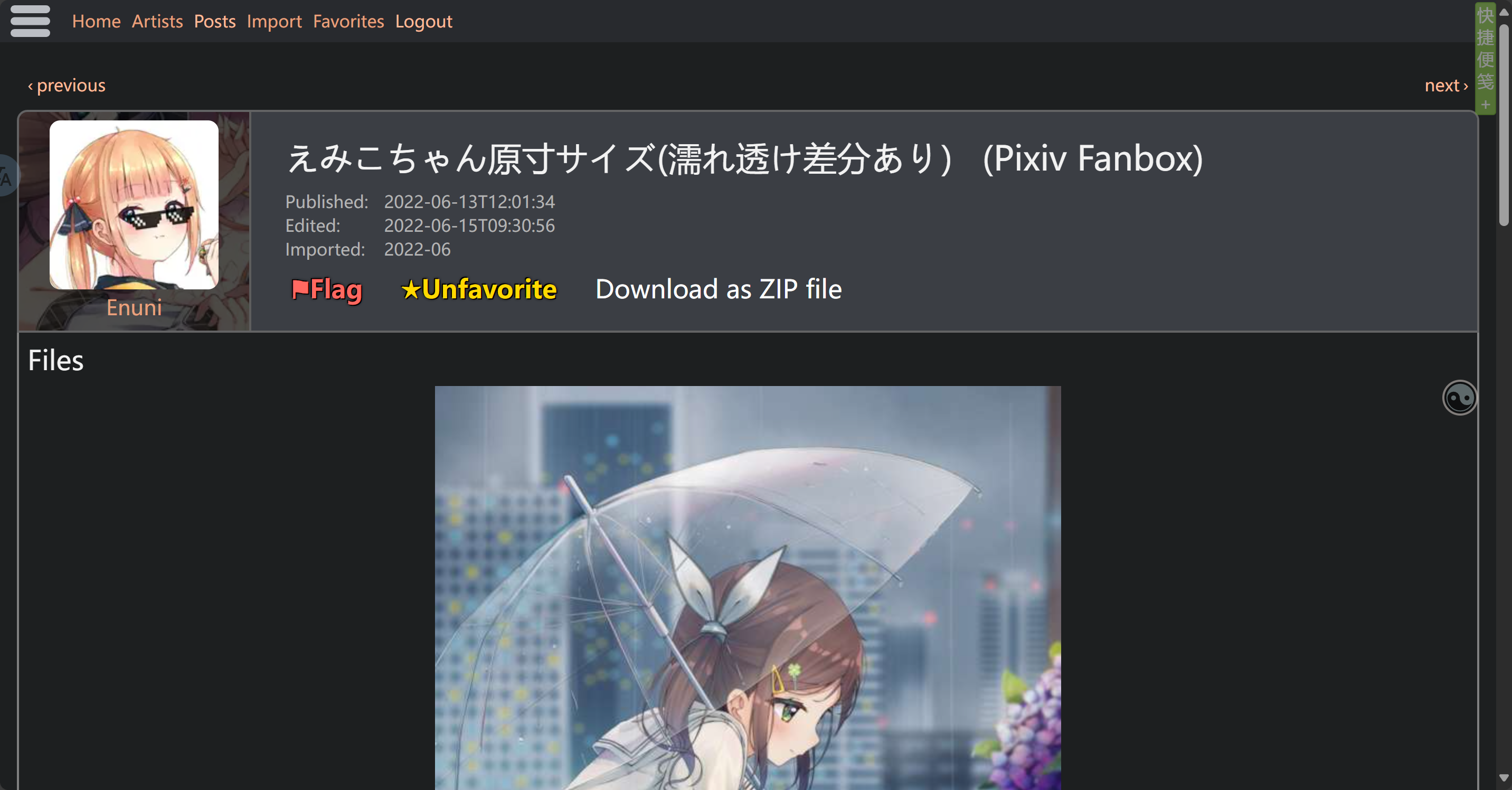
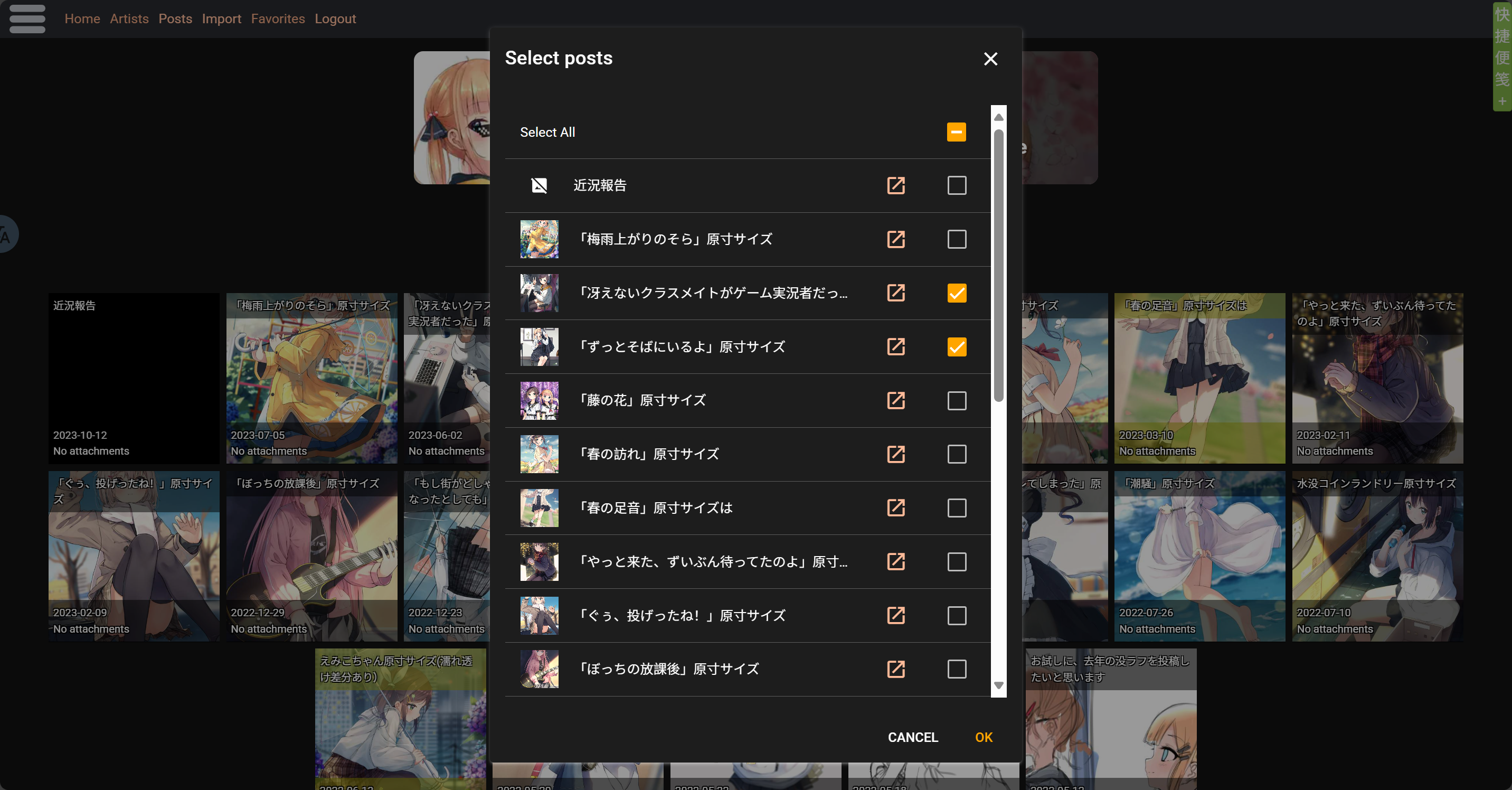
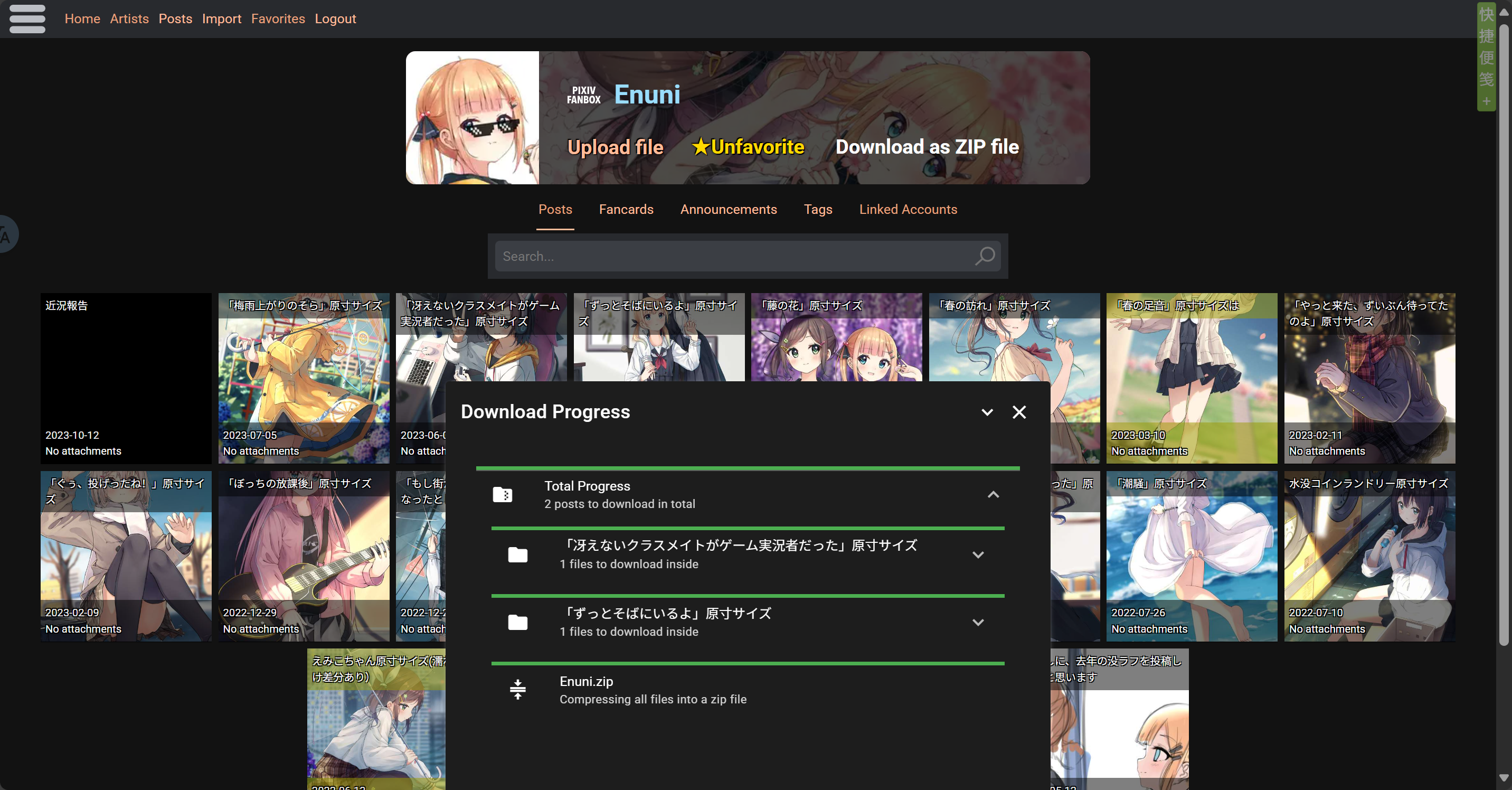
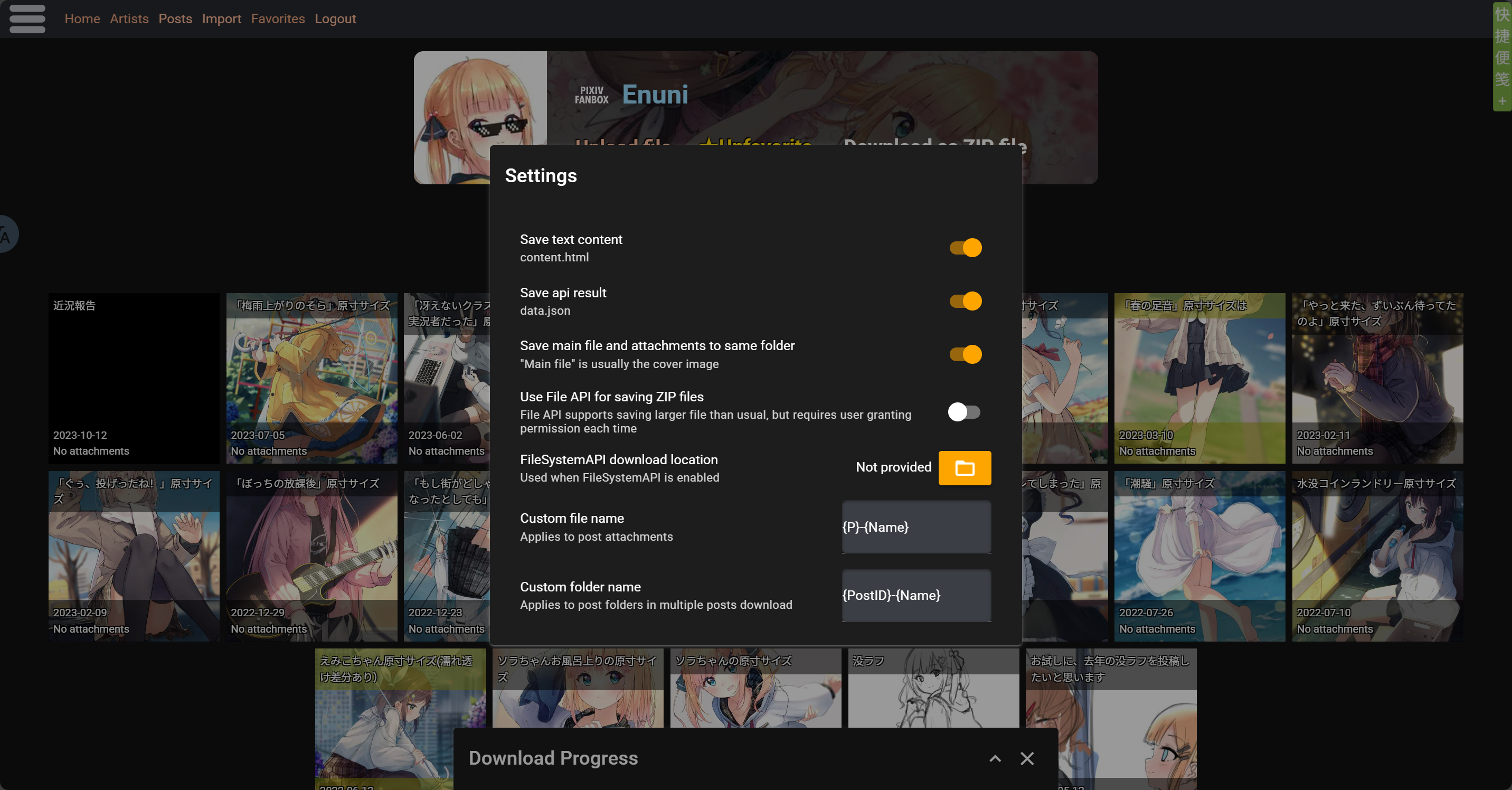
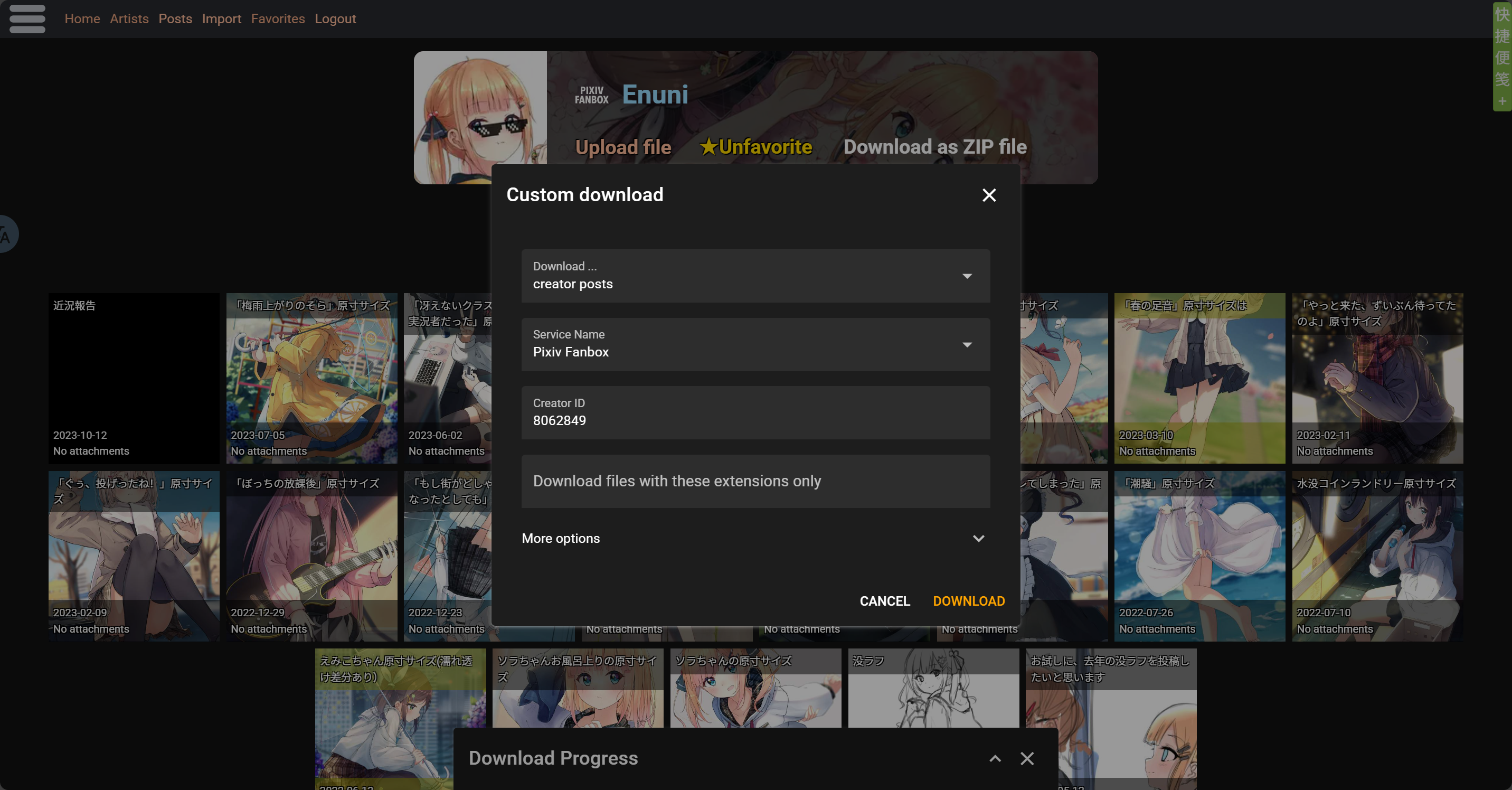
Screenshot

image.png image.png image.png image.png

ZIP file content

The zip file that actually downloaded for you is customizable in script settings, files like api data and text content can be removed from zip file

Downloading one post

  • Post Title.zip\
    • attachments\ Stores all files (images, etc.)
      • 1-file name 1
      • 2-file name 2
      • ...
    • content.html Stores text content
    • file-file name Main file of the post, usually cover pic
    • data.json Stores api data

Downloading multiple posts

  • Creator.zip\
    • Post1 Title\ Stores all files for post1
    • Post2 Title\ Stores all files for post2
    • ...

Note: Please avoid using scripts for large-scale downloads of massive content. Due to browser environments and network limitations, downloading large batches or big files may cause various issues—like ZIP compression failures, connection errors, downloads getting stuck, etc. Currently, the script doesn’t fully support heavy downloading. To prevent errors, freezes, or files not saving properly, it’s better to split your downloads into smaller batches.

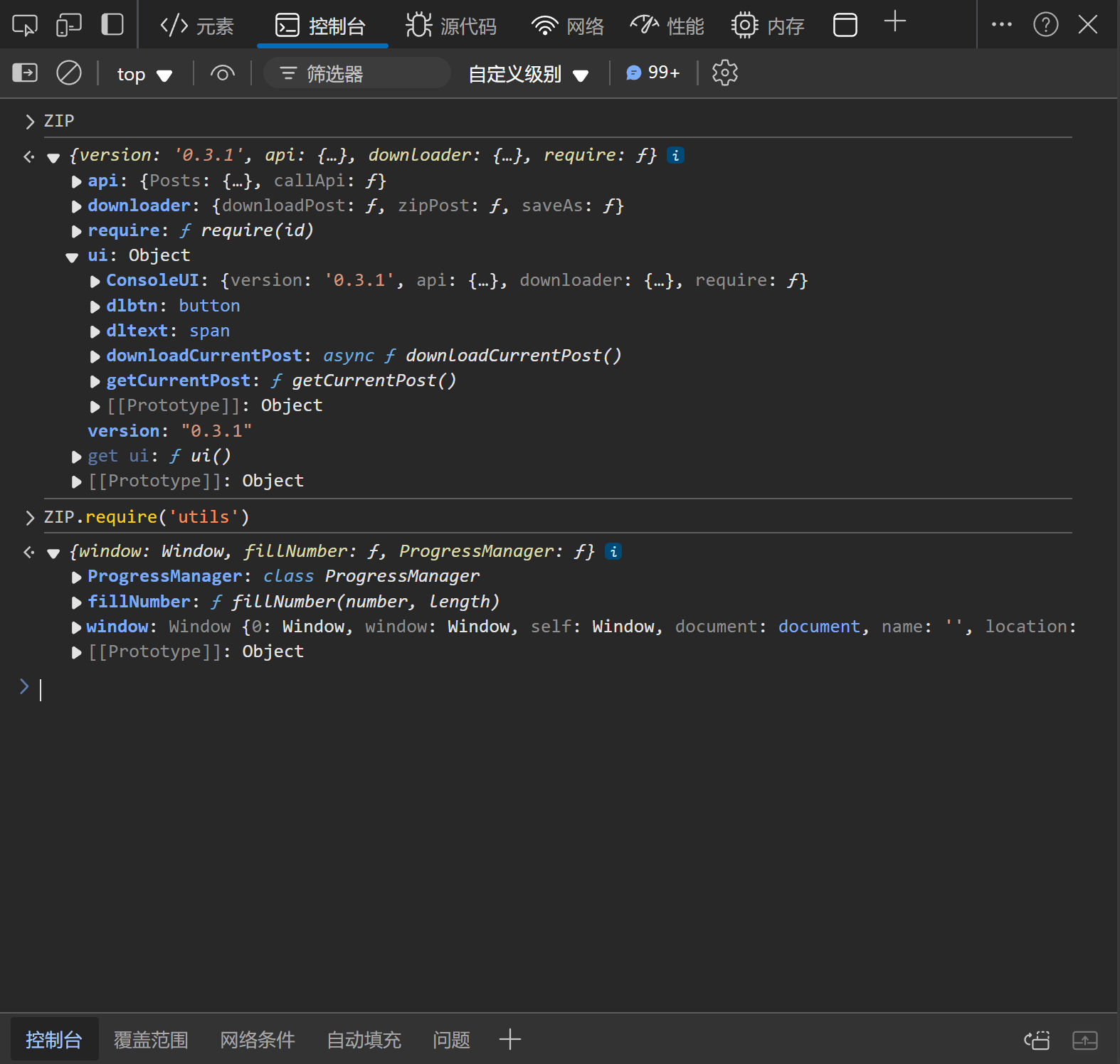
Console User Interface

In addition to the download button in webpage and script-manager's menu, the script also provides a console interface for users to call programmatically. Users can access the interface via window.ZIP object.

The content of the interface may change between script versions. Take a look at the interface after upgrading the script if you use it.
The following screenshot is based on the console interface provided by script version 0.3.1.
ADGuard Exception Rule

With user feedbacks and tests, we found ADGuard extension is blocking some of the userscripts on kemono.su
If this script is not working on kemono.su when you have ADGuard installed and activated, try this ADGuard rule:

kemono.su#@%#//scriptlet("abort-current-inline-script", "globalThis", "break;case")

To use it:

  1. Open ADGuard extension settings
  2. Switch to user filters page
  3. Copy & paste the rule into the user filters textbox in a new line
  4. Save
  5. Reload kemono.su pages

About Batch Downloading and Saving Large Files

With user feedbacks and tests, when downloading a large number of files, the resulting ZIP file can also be very large, which may cause the browser to be unable to save it to the disk. If you encounter this issue, simply enable the "Use File API for saving ZIP files" option in the settings, select the save location, and the problem will be resolved.