
Welcome to Sleazy Fork, a site for adult user scripts.
What are user scripts?
User scripts put you in control of your browsing experience. Once installed, they automatically make the sites you visit better by adding features, making them easier to use, or taking out the annoying bits. The user scripts on Sleazy Fork were written by other users and posted to share with the world. They're free to install and easy to use.
Step 1: install a user script manager
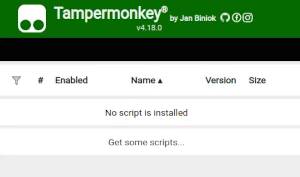
To use user scripts you need to first install a user script manager. Which user script manager you can use depends on which browser you use.
Desktop Mobile (Android) Mobile (iOS)
- Chrome: Tampermonkey or Violentmonkey
- Firefox: Greasemonkey, Tampermonkey, or Violentmonkey
- Safari: Tampermonkey or Userscripts
- Microsoft Edge: Tampermonkey or Violentmonkey
- Opera: Tampermonkey or Violentmonkey
- Maxthon: Violentmonkey
- AdGuard (no additional software required)
- Firefox: Greasemonkey, Tampermonkey, or Violentmonkey
- Microsoft Edge: Tampermonkey
- Maxthon: Violentmonkey
- Dolphin: Tampermonkey
- UC: Tampermonkey
- XBrowser (no additional software required)
- EinkBro (no additional software required)
- Safari: Tampermonkey or Userscripts
- Gear (no additional software required)
- Teak (no additional software required)
- EinkBro (no additional software required)
Step 2: install a user script
Browse this site to find a user script you want to try. Here is a sample of the most popular scripts:
- ViewOnYP - Links various membership platforms to Kemono and Coomer.
- Danbooru Tags Select to Export - Select specified tags and copy to clipboard, for Stable Diffusion WebUI or NovelAI to use.
- Pornhub Pro-ish - Download videos, filter/sort playlists and categories, autoscroll through playlists, hide shorts/vr/paid content, and much more! Auto mute volume, hide your cursor over videos, auto age verification, and when visiting pornhub in other languages change it to English automatically. Actively maintained and used by me so updated regularly. Feel free to request features!
- Pornolab Preloaded Preview - Preloads and dynamically displays preview images below links. Implements fallback to the next image if the first fails to load. Includes debug mode.
- Faphouse-HideWatched - Removes watched videos from the feed. The next unwatched video takes it place so there are no obvious side-effects.
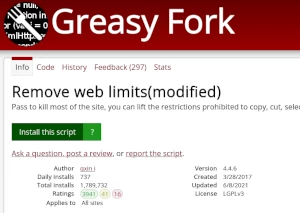
Once you've found a user script, click the green install button on the user script's page, and your user script manager will ask you to confirm the install.
Step 3: use the user script
Go to the site the user script affects. It should automatically do its thing. After trying out the user script for a while, go back to where you installed the user script and leave some feedback for the user script's author.