Kemono zip download

Download kemono post in a zip file

You will need to install an extension such as Tampermonkey, Greasemonkey or Violentmonkey to install this script.

You will need to install an extension such as Tampermonkey to install this script.

You will need to install an extension such as Tampermonkey or Violentmonkey to install this script.

You will need to install an extension such as Tampermonkey or Userscripts to install this script.

You will need to install an extension such as Tampermonkey to install this script.

You will need to install a user script manager extension to install this script.

(I already have a user script manager, let me install it!)

You will need to install an extension such as Stylus to install this style.

You will need to install an extension such as Stylus to install this style.

You will need to install an extension such as Stylus to install this style.

You will need to install a user style manager extension to install this style.

You will need to install a user style manager extension to install this style.

You will need to install a user style manager extension to install this style.

(I already have a user style manager, let me install it!)

יוצר
PYUDNG
התקנות יומיות
1
סה"כ התקנות
726
דירוגים
17 4 3
גרסה
0.27.8
נוצר
10-02-2025
עודכן
07-09-2025
Size
161 קילו-בייט
רישיון
MIT
חל על

Kemono Zip Downloader

Yes, a downloader for kemono again. One in zip format.
About the Maintenance Status of This Script

Thank you for your attention and support of my amateur script. This response might be lengthy, so I'll begin with the answer you're most likely interested in: There will be no updates in the short term. After a longer interval (approximately a month or more), I may develop a more user-friendly and comprehensive download script for Kemono.

This Kemono download script was initially created as a practice project when I was just starting to learn a new framework. At that time, I noticed there were no existing scripts on the site that met my specific requirements, so I built this one with my still-developing technical skills and unrefined aesthetic sense. Although I didn't have high expectations, it gained more users and support than I anticipated, which was both a surprise and an encouragement. However, as time passed and my technical capabilities evolved, the original code of this script has become increasingly inadequate to meet everyone's needs as well as my own. For instance, many users expressed a desire for stable high-speed batch downloading, which includes features such as parallel download management for multiple works, resumable downloads, multi-threading, and many other requirements that were not initially anticipated. As a result, updating and maintaining the script has become progressively more challenging.

Now, whenever I consider adding or improving features, I find it increasingly difficult to make updates to the original (poorly structured) code. I've contemplated a complete rewrite. However, a full rewrite demands a significant investment of time and effort. Given my real-world responsibilities and the commitment to maintaining another large script, it is currently very difficult for me to undertake this task.

Therefore, my plan to remake this script has been postponed indefinitely. You can manually add the new domain kemono.cr to your script manager to continue using the existing script on the new site, but I do not expect to release any updates in the near future.

I appreciate your understanding regarding any current or future bugs that may arise in the script. I encourage everyone to freely discuss and resolve issues in the feedback section, and you are welcome to modify and redistribute an improved version of this script. Should anyone enhance the existing codebase and create a better script, I would be profoundly grateful.

Once again, thank you all for your support.

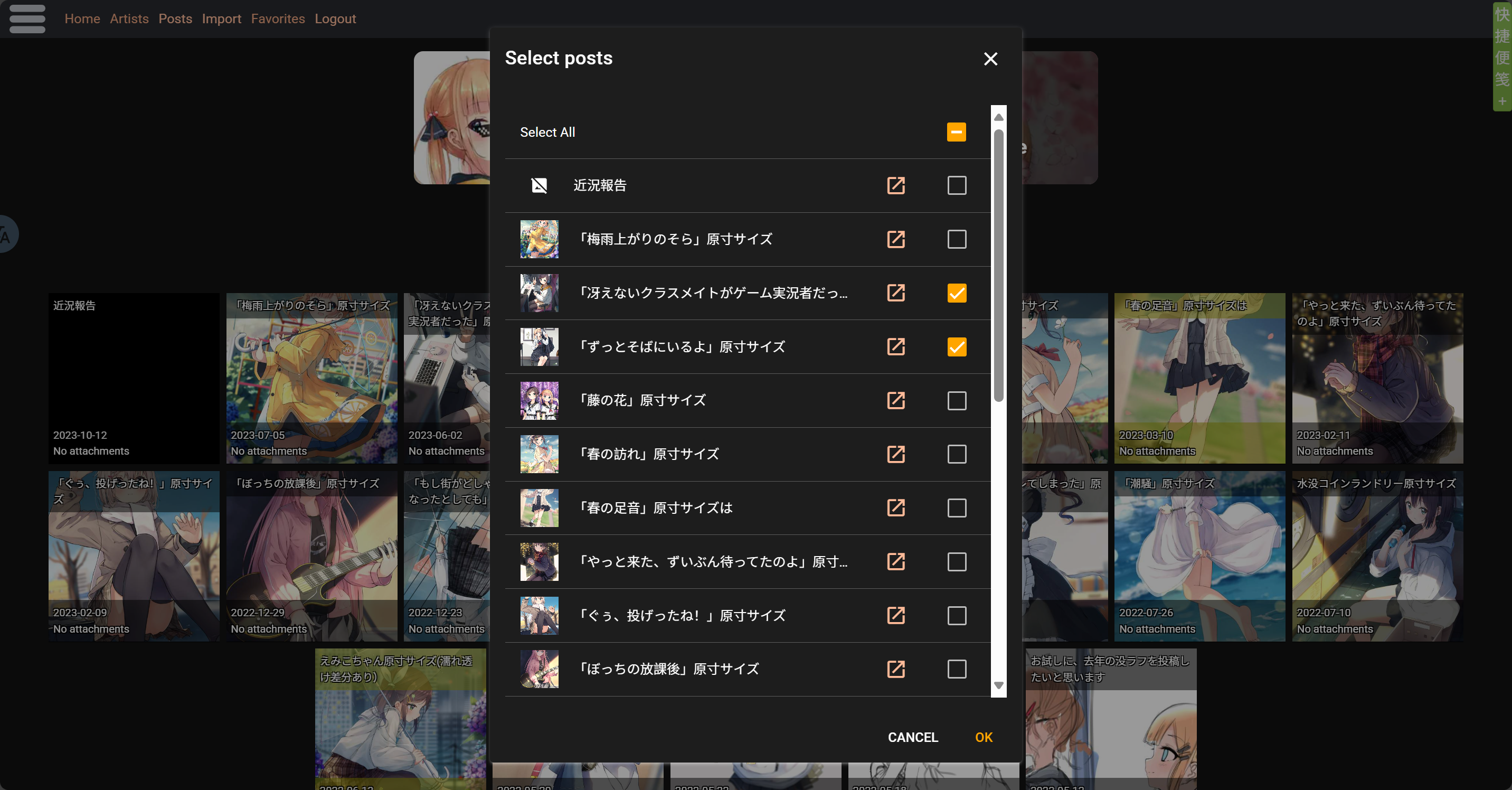
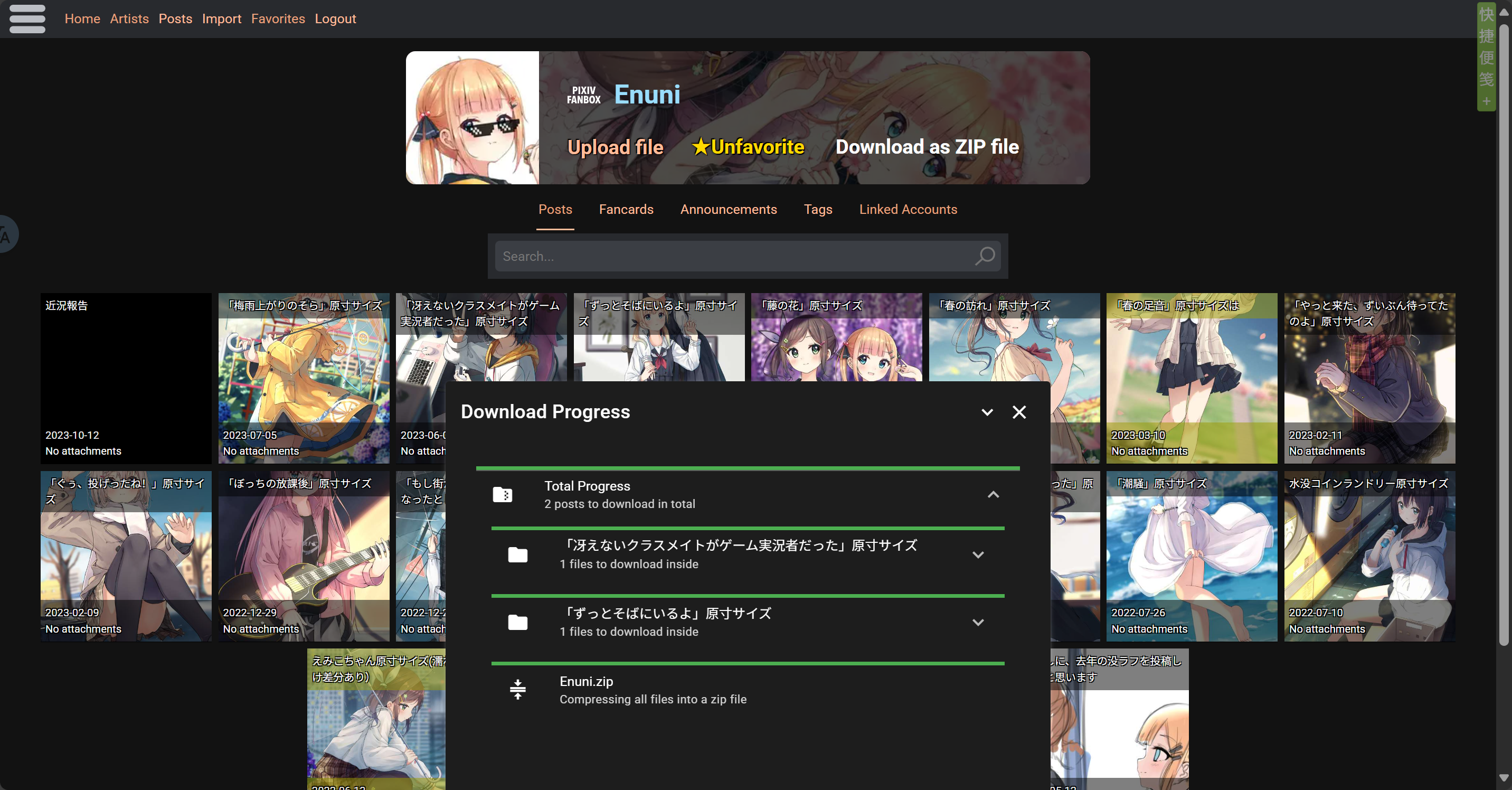
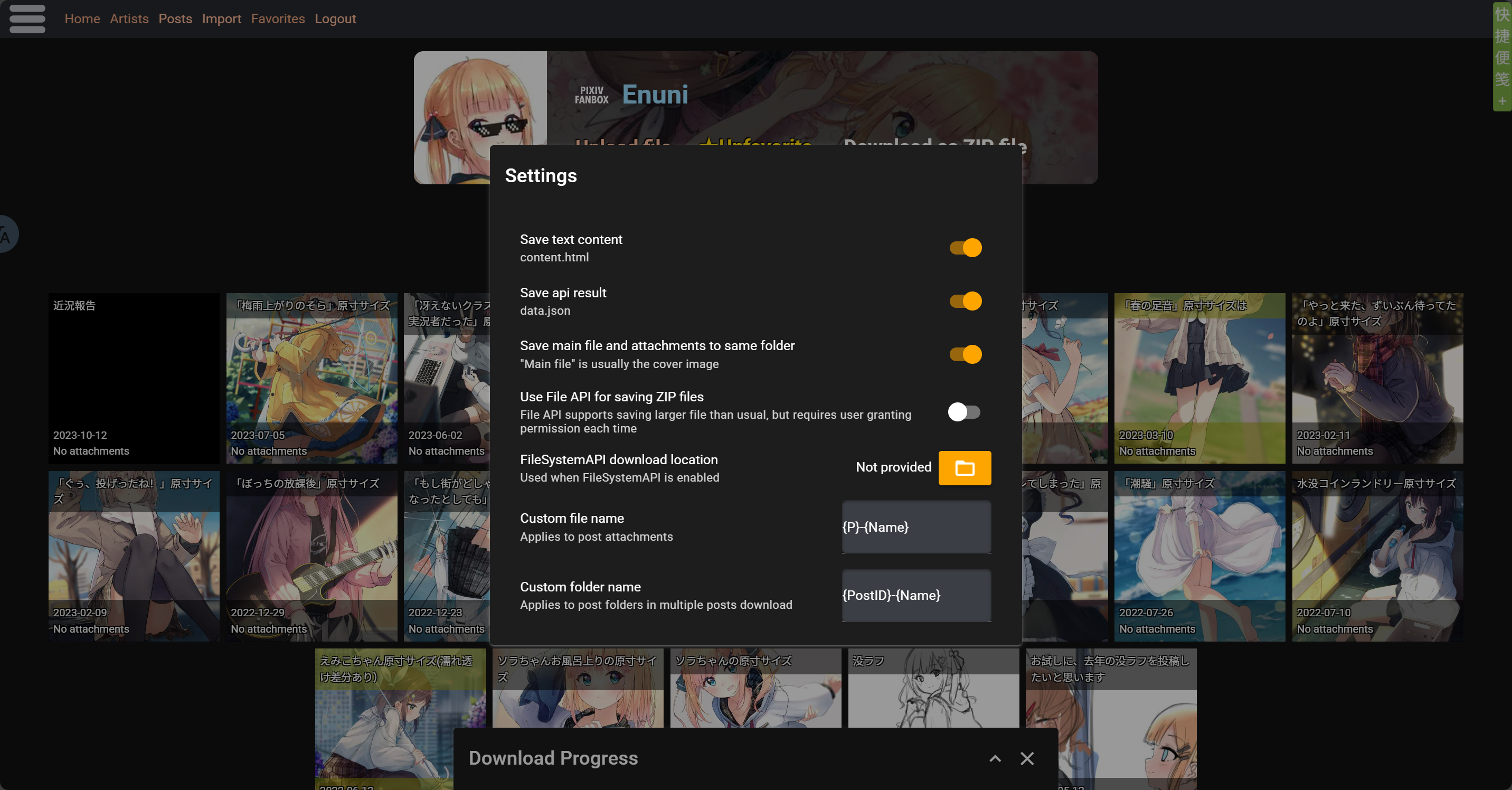
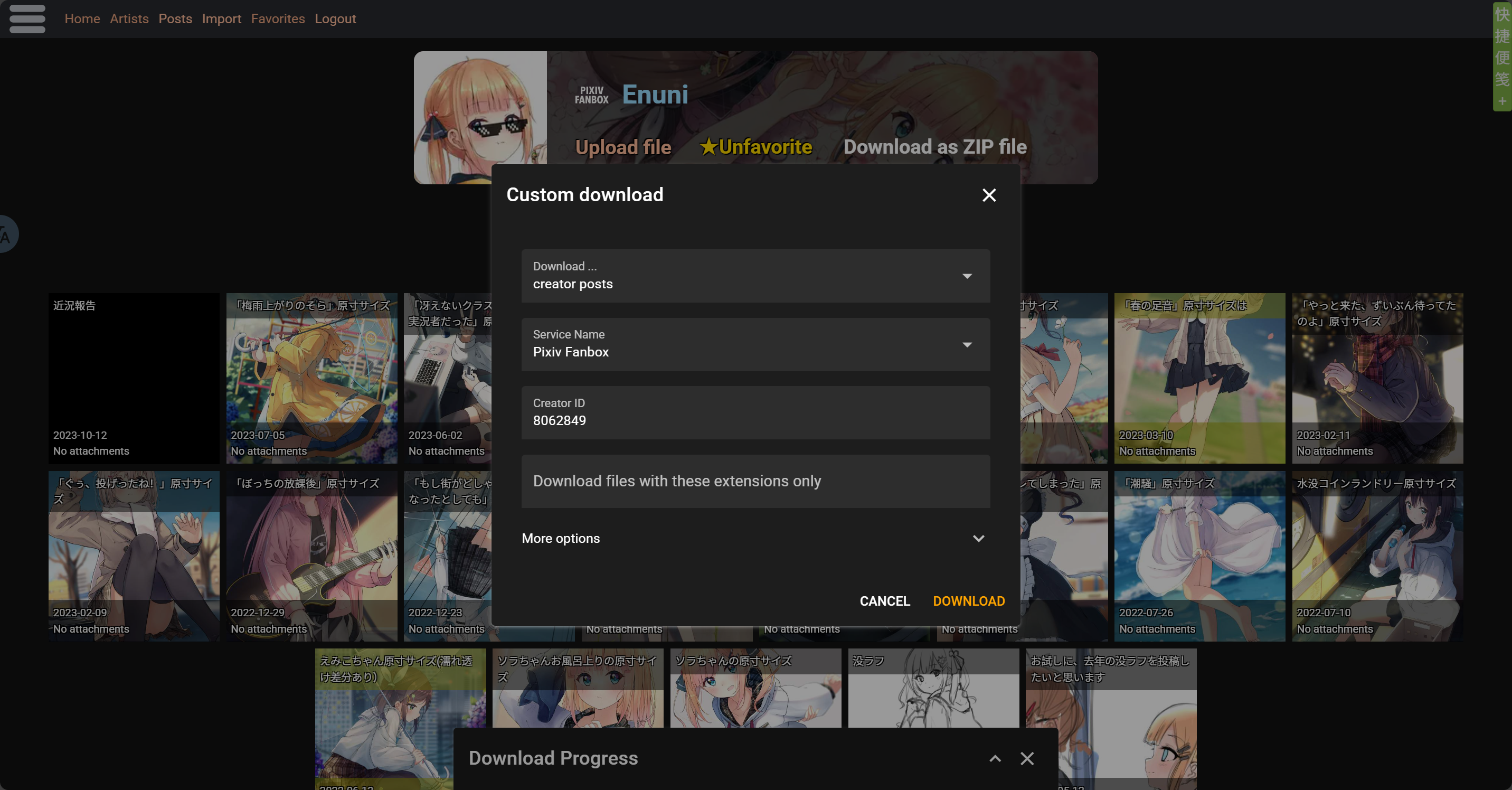
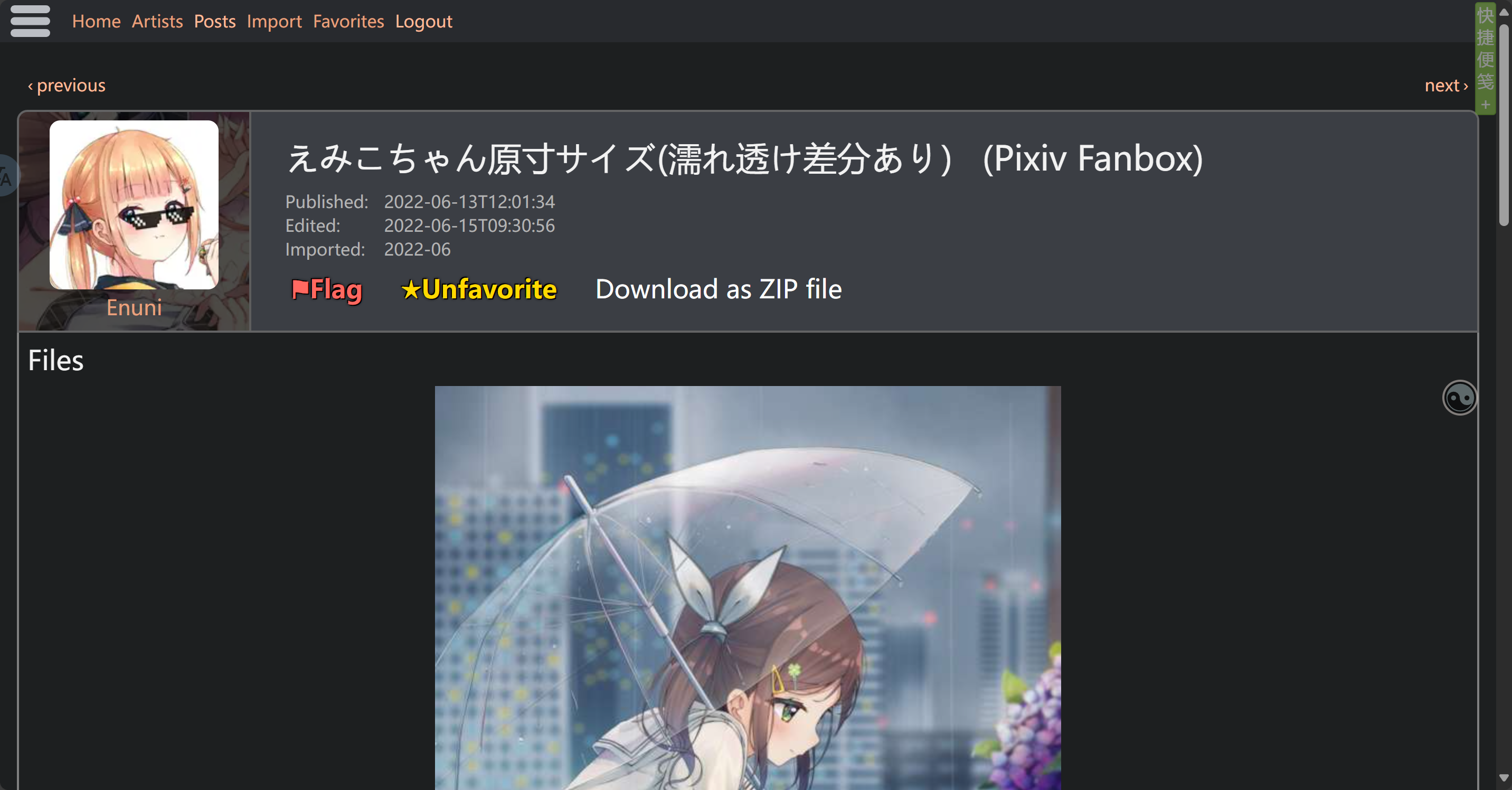
Screenshot

image.png image.png image.png image.png

ZIP file content

The zip file that actually downloaded for you is customizable in script settings, files like api data and text content can be removed from zip file

Downloading one post

  • Post Title.zip\
    • attachments\ Stores all files (images, etc.)
      • 1-file name 1
      • 2-file name 2
      • ...
    • content.html Stores text content
    • file-file name Main file of the post, usually cover pic
    • data.json Stores api data

Downloading multiple posts

  • Creator.zip\
    • Post1 Title\ Stores all files for post1
    • Post2 Title\ Stores all files for post2
    • ...

Note: Please avoid using scripts for large-scale downloads of massive content. Due to browser environments and network limitations, downloading large batches or big files may cause various issues—like ZIP compression failures, connection errors, downloads getting stuck, etc. Currently, the script doesn’t fully support heavy downloading. To prevent errors, freezes, or files not saving properly, it’s better to split your downloads into smaller batches.

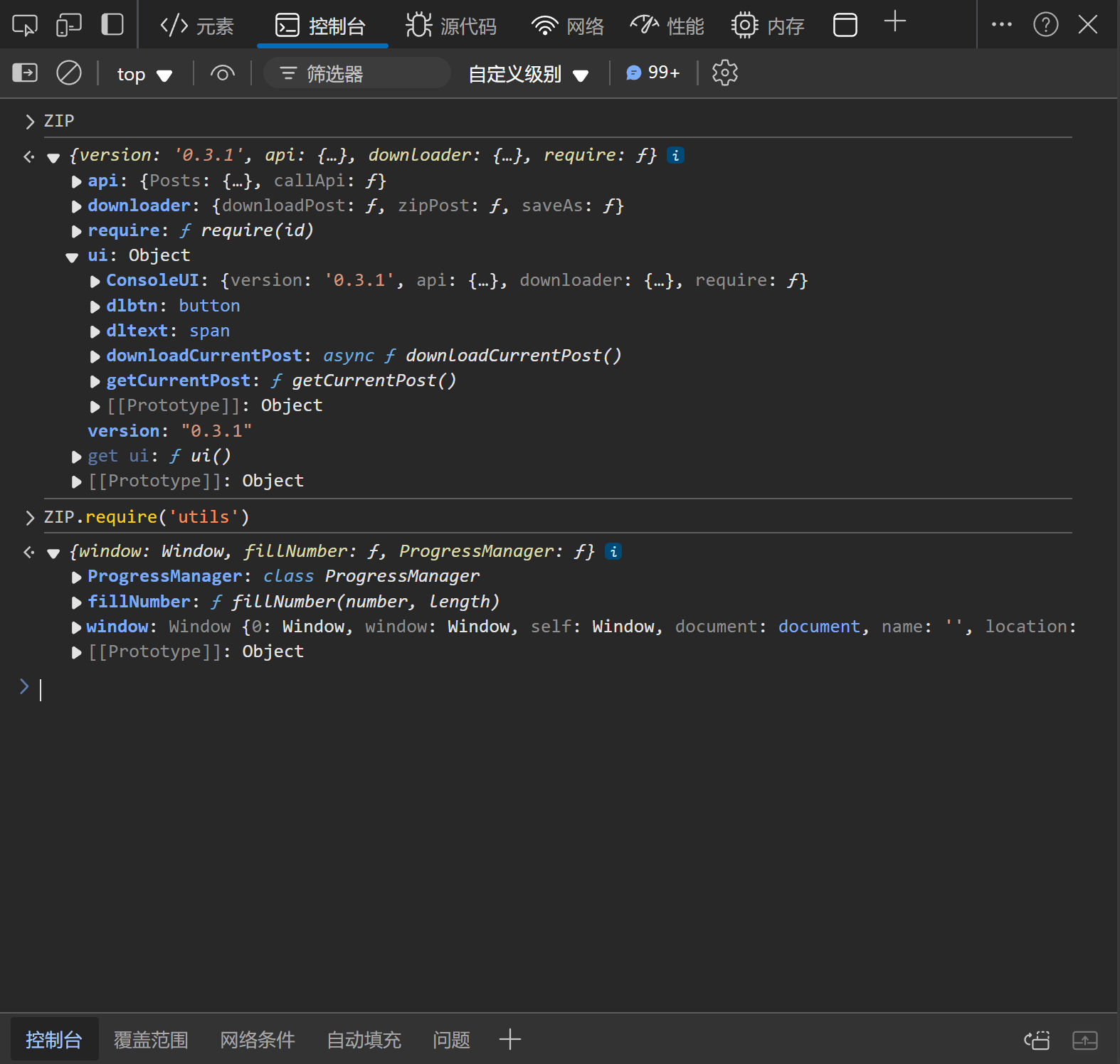
Console User Interface

In addition to the download button in webpage and script-manager's menu, the script also provides a console interface for users to call programmatically. Users can access the interface via window.ZIP object.

The content of the interface may change between script versions. Take a look at the interface after upgrading the script if you use it.
The following screenshot is based on the console interface provided by script version 0.3.1.
ADGuard Exception Rule

With user feedbacks and tests, we found ADGuard extension is blocking some of the userscripts on kemono.su
If this script is not working on kemono.su when you have ADGuard installed and activated, try this ADGuard rule:

kemono.su#@%#//scriptlet("abort-current-inline-script", "globalThis", "break;case")

To use it:

  1. Open ADGuard extension settings
  2. Switch to user filters page
  3. Copy & paste the rule into the user filters textbox in a new line
  4. Save
  5. Reload kemono.su pages

About Batch Downloading and Saving Large Files

With user feedbacks and tests, when downloading a large number of files, the resulting ZIP file can also be very large, which may cause the browser to be unable to save it to the disk. If you encounter this issue, simply enable the "Use File API for saving ZIP files" option in the settings, select the save location, and the problem will be resolved.