
Welcome to Sleazy Fork, a site for adult user scripts.
युझर स्क्रिप्ट काय असतात?
User scripts put you in control of your browsing experience. Once installed, they automatically make the sites you visit better by adding features, making them easier to use, or taking out the annoying bits. The user scripts on Sleazy Fork were written by other users and posted to share with the world. They're free to install and easy to use.
पाऊल 1 - एखादे युझर स्क्रिप्ट व्यवस्थापक इंस्टॉल करा
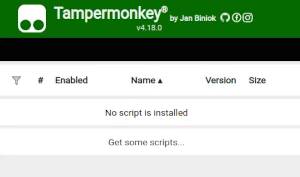
युझर स्क्रिप्ट वापरण्याच्या आधी एक युझर स्क्रिप्ट व्यवस्थापक इंस्टॉल करणे आवश्यक आहे. .तुम्ही कोणता युझर स्क्रिप्ट व्यवस्थापक वापरू शकता हे तुम्ही वापरणार्या ब्राउझरवर अवलंबून आहे.
डेस्कटॉप मोबाइल (अँड्रॉइड) मोबाइल (iOS)
- Chrome: Tampermonkey or Violentmonkey
- Firefox: Greasemonkey, Tampermonkey, or Violentmonkey
- Safari: Tampermonkey or Userscripts
- Microsoft Edge: Tampermonkey or Violentmonkey
- Opera: Tampermonkey or Violentmonkey
- Maxthon: Violentmonkey
- AdGuard (no additional software required)
- Firefox: Greasemonkey, Tampermonkey, or Violentmonkey
- Microsoft Edge: Tampermonkey
- Maxthon: Violentmonkey
- Dolphin: Tampermonkey
- UC: Tampermonkey
- XBrowser (no additional software required)
- EinkBro (no additional software required)
- Safari: Tampermonkey or Userscripts
- Gear (no additional software required)
- Teak (no additional software required)
- EinkBro (no additional software required)
पाऊल 2 - युझर स्क्रिप्ट इंस्टॉल करा
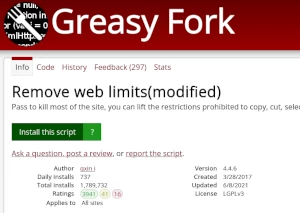
Browse this site to find a user script you want to try. Here is a sample of the most popular scripts:
- MissAV 迷你加強包 - 防止 MissAV 自動暫停、禁用彈出廣告,並將 missav.com 重新導向到 missav.ws
- नुकतेच 18 वर्षांचे झाले - मी नुकताच 18 वर्षांचा होतो, म्हणून मी प्रौढ सामग्री पाहू शकतो
- SpankBang UI Enhancer Pro (Ultimate Edition) - Ultimate UI-Cleanup: Removes Overlays, Blur, Lock-Icons, and Hover-Restrictions.
- JanitorAI SillyTavern Exporter - Export SillyTavern V2/Custom JSON & PNG characters on JanitorAI (create, edit, view pages). Handles WEBP/non-PNG images gracefully for edit page export.
- Redgifs God Mode - UnFiltr your feed with smart tag rules, download entire creator profiles or selected media in 1-click, and enjoy an enhanced HD Lightbox with glassmorphism controls, synced Like/Follow state, and persistent volume/mute across sessions.
Once you've found a user script, click the green install button on the user script's page, and your user script manager will ask you to confirm the install.
पाऊल 3 - युझर स्क्रिप्ट वापरा
Go to the site the user script affects. It should automatically do its thing. After trying out the user script for a while, go back to where you installed the user script and leave some feedback for the user script's author.