
Welcome to Sleazy Fork, a site for adult user scripts.
What are user scripts?
User scripts put you in control of your browsing experience. Once installed, they automatically make the sites you visit better by adding features, making them easier to use, or taking out the annoying bits. The user scripts on Sleazy Fork were written by other users and posted to share with the world. They're free to install and easy to use.
Step 1: install a user script manager
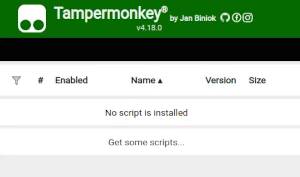
To use user scripts you need to first install a user script manager. Which user script manager you can use depends on which browser you use.
Desktop Mobile (Android) Mobile (iOS)
- Chrome: Tampermonkey or Violentmonkey
- Firefox: Greasemonkey, Tampermonkey, or Violentmonkey
- Safari: Tampermonkey or Userscripts
- Microsoft Edge: Tampermonkey or Violentmonkey
- Opera: Tampermonkey or Violentmonkey
- Maxthon: Violentmonkey
- AdGuard (no additional software required)
- Firefox: Greasemonkey, Tampermonkey, or Violentmonkey
- Microsoft Edge: Tampermonkey
- Maxthon: Violentmonkey
- Dolphin: Tampermonkey
- UC: Tampermonkey
- XBrowser (no additional software required)
- EinkBro (no additional software required)
- Safari: Tampermonkey or Userscripts
- Gear (no additional software required)
- Teak (no additional software required)
- EinkBro (no additional software required)
Step 2: install a user script
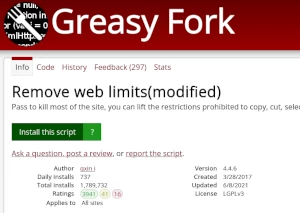
Browse this site to find a user script you want to try. Here is a sample of the most popular scripts:
- Leak Finder Overlay - Adds a convenient overlay to check for "leaks" on various sites.
- मिस बच ब्याकअप संग्रह भिडियोहरू - परिणामहरू विलियम फाइलहरू र भिडियो जानकारी प्राप्त गर्नुहोस्, परिणामहरू मर्ज पछि डाउनलोड गरिएका वेब पृष्ठ फाइल प्रदान गर्नुहोस्।
- भर्खर 1 years बर्षको उमेर भयो - किनकि म भर्खरै 1 18 वर्षको भएँ, म वयस्क सामग्री हेर्न सक्छु
- AV+通用字幕搜索挂载、弹幕搜索装填&媒体资源嗅探下载/网页视频录制助手 Pro - 字幕搜索加载显示,深层媒体资源嗅探、M3U8解析、分辨率显示及M3U8下载功能;直播网站视频录制功能;集成弹幕搜索与加载功能,支持嵌套页弹幕显示。
- ट्विटर मिडिया डाउनलोड (20255.04.04.28 स्थिर) - भिडियोहरू / चित्रहरू डाउनलोड गर्नुहोस् एक क्लिकमा क्लिक गर्नुहोस्, र डाउनलोड डाउनलोड गर्न एक क्लिक फाइलमा स्वचालित प्याकेजिंगलाई समर्थन गर्नुहोस्। नयाँ api ईन्टरफेस समर्थन गर्नुहोस्
Once you've found a user script, click the green install button on the user script's page, and your user script manager will ask you to confirm the install.
Step 3: use the user script
Go to the site the user script affects. It should automatically do its thing. After trying out the user script for a while, go back to where you installed the user script and leave some feedback for the user script's author.