Let's panda!

A login, view, download tool for exhentai & e-hentai

Aby zainstalować ten skrypt, wymagana jest instalacje jednego z następujących rozszerzeń: Tampermonkey, Greasemonkey lub Violentmonkey.

You will need to install an extension such as Tampermonkey to install this script.

Aby zainstalować ten skrypt, wymagana jest instalacje jednego z następujących rozszerzeń: Tampermonkey, Violentmonkey.

Aby zainstalować ten skrypt, wymagana będzie instalacja rozszerzenia Tampermonkey lub Userscripts.

You will need to install an extension such as Tampermonkey to install this script.

Aby zainstalować ten skrypt, musisz zainstalować rozszerzenie menedżera skryptów użytkownika.

(Mam już menedżera skryptów użytkownika, pozwól mi to zainstalować!)

You will need to install an extension such as Stylus to install this style.

You will need to install an extension such as Stylus to install this style.

You will need to install an extension such as Stylus to install this style.

Będziesz musiał zainstalować rozszerzenie menedżera stylów użytkownika, aby zainstalować ten styl.

Będziesz musiał zainstalować rozszerzenie menedżera stylów użytkownika, aby zainstalować ten styl.

Musisz zainstalować rozszerzenie menedżera stylów użytkownika, aby zainstalować ten styl.

(Mam już menedżera stylów użytkownika, pozwól mi to zainstalować!)

Autor
MINO
Dziennych instalacji
3
Wszystkich instalacji
35 879
Oceny
70 4 1
Wersja
0.2.29
Utworzono
10-10-2017
Zaktualizowano
21-12-2025
Rozmiar
43,5 KB
Licencja
MIT
Dotyczy

Let's panda!

A Greasy Fork user script for exhentai
Required Environment

Features

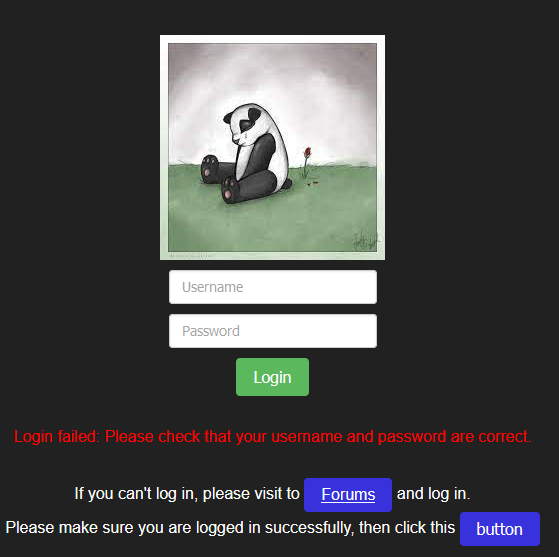
Login

1

If that show Login succeeded, and you cannot access exhentai,
First, don't use the private browsing then try again,
if it still doesn't work, it could be that your account doesn't have access to exhentai,
but you still can use other features in e-hentai.
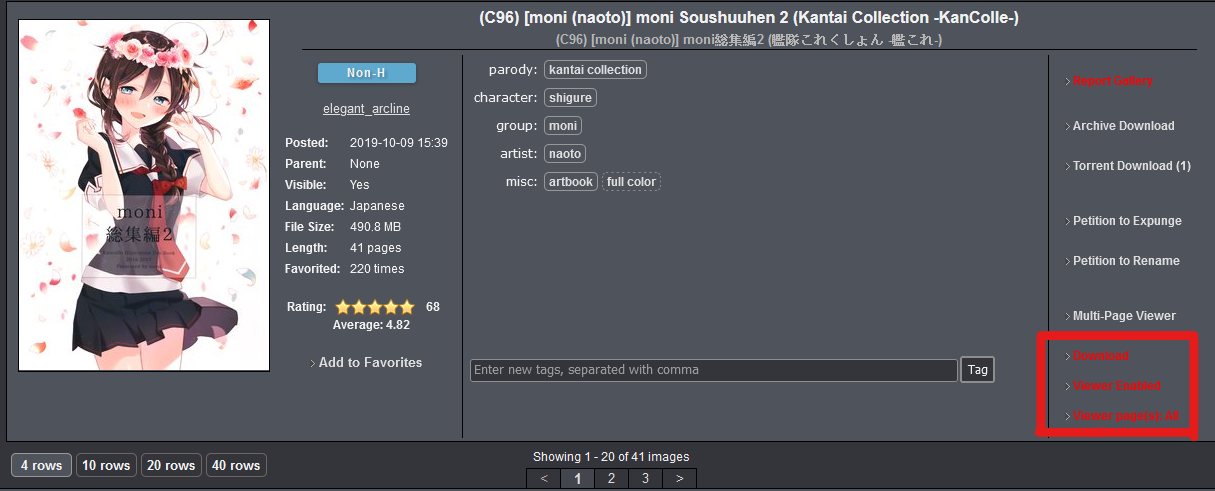
Download & Viewer

2

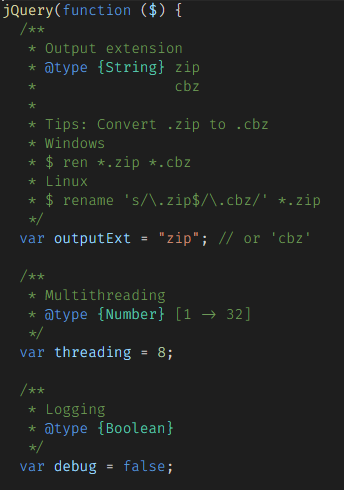
Some script configurations

3

Usage

Login

  • Input your exhentai account and password.
  • If you cannot log in, please follow the instructions.
    1

Download

  • Just click "Download" text
    7

Viewer

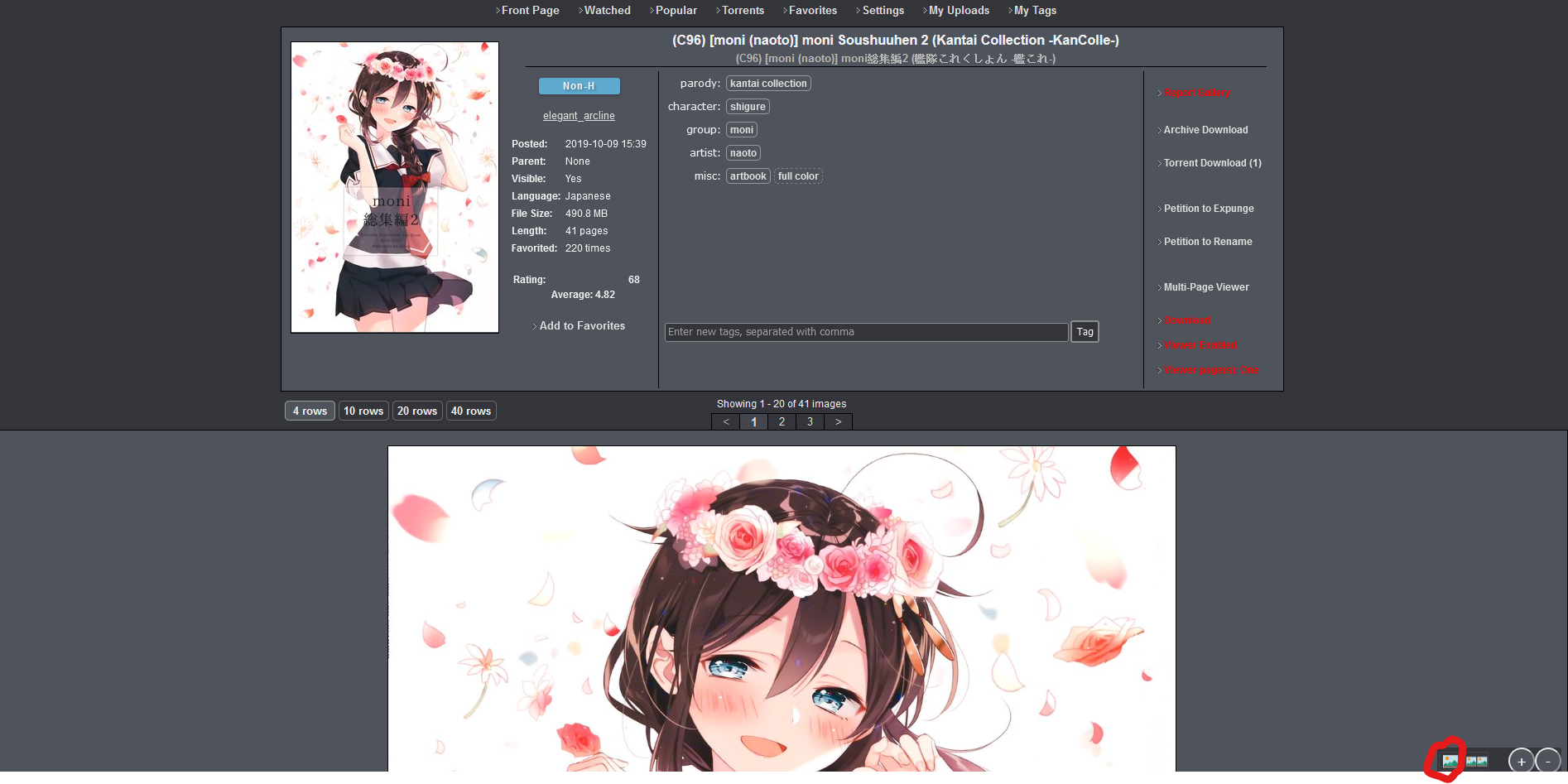
  1. First enable Viewer
    7

    • Viewer page(s): All
      • Load images for all pages
      • e.g. Showing 1 - 20 of 41 images it will load 1 - 41 images in current page
    • Viewer page(s): One
      • Load images for current page
      • e.g. Showing 1 - 20 of 41 images it will load 1 - 20 images in current page
  2. Viewer mode

    • Single mode
      • 4
    • Double mode
      • 5
    • When you are in double mode, click the double mode button once more and it will reverse image like this.
      • 6

Install the Script

License

The MIT License

If you have any issues please issue on GitHub.

Feedback also works but I won't check every day.