Kemono zip download

Download kemono post in a zip file

Чтобы установить этот скрипт, вы сначала должны установить расширение браузера, например Tampermonkey, Greasemonkey или Violentmonkey.

Для установки этого скрипта вам необходимо установить расширение, такое как Tampermonkey.

Чтобы установить этот скрипт, вы сначала должны установить расширение браузера, например Tampermonkey или Violentmonkey.

Чтобы установить этот скрипт, вы сначала должны установить расширение браузера, например Tampermonkey или Userscripts.

Чтобы установить этот скрипт, сначала вы должны установить расширение браузера, например Tampermonkey.

Чтобы установить этот скрипт, вы должны установить расширение — менеджер скриптов.

(у меня уже есть менеджер скриптов, дайте мне установить скрипт!)

Чтобы установить этот стиль, сначала вы должны установить расширение браузера, например Stylus.

Чтобы установить этот стиль, сначала вы должны установить расширение браузера, например Stylus.

Чтобы установить этот стиль, сначала вы должны установить расширение браузера, например Stylus.

Чтобы установить этот стиль, сначала вы должны установить расширение — менеджер стилей.

Чтобы установить этот стиль, сначала вы должны установить расширение — менеджер стилей.

Чтобы установить этот стиль, сначала вы должны установить расширение — менеджер стилей.

(у меня уже есть менеджер стилей, дайте мне установить скрипт!)

Автор
PYUDNG
Установок в день
4
Всего установок
1 208
Оценки
17 5 3
Версия
0.27.9
Создано
10.02.2025
Обновлено
30.12.2025
Размер
160,6 КБ
Лицензия
MIT
Работает на

This script is no longer maintained

Please migrate to the new script Kemono Downloader

Kemono Zip Downloader

Yes, a downloader for kemono again. One in zip format.
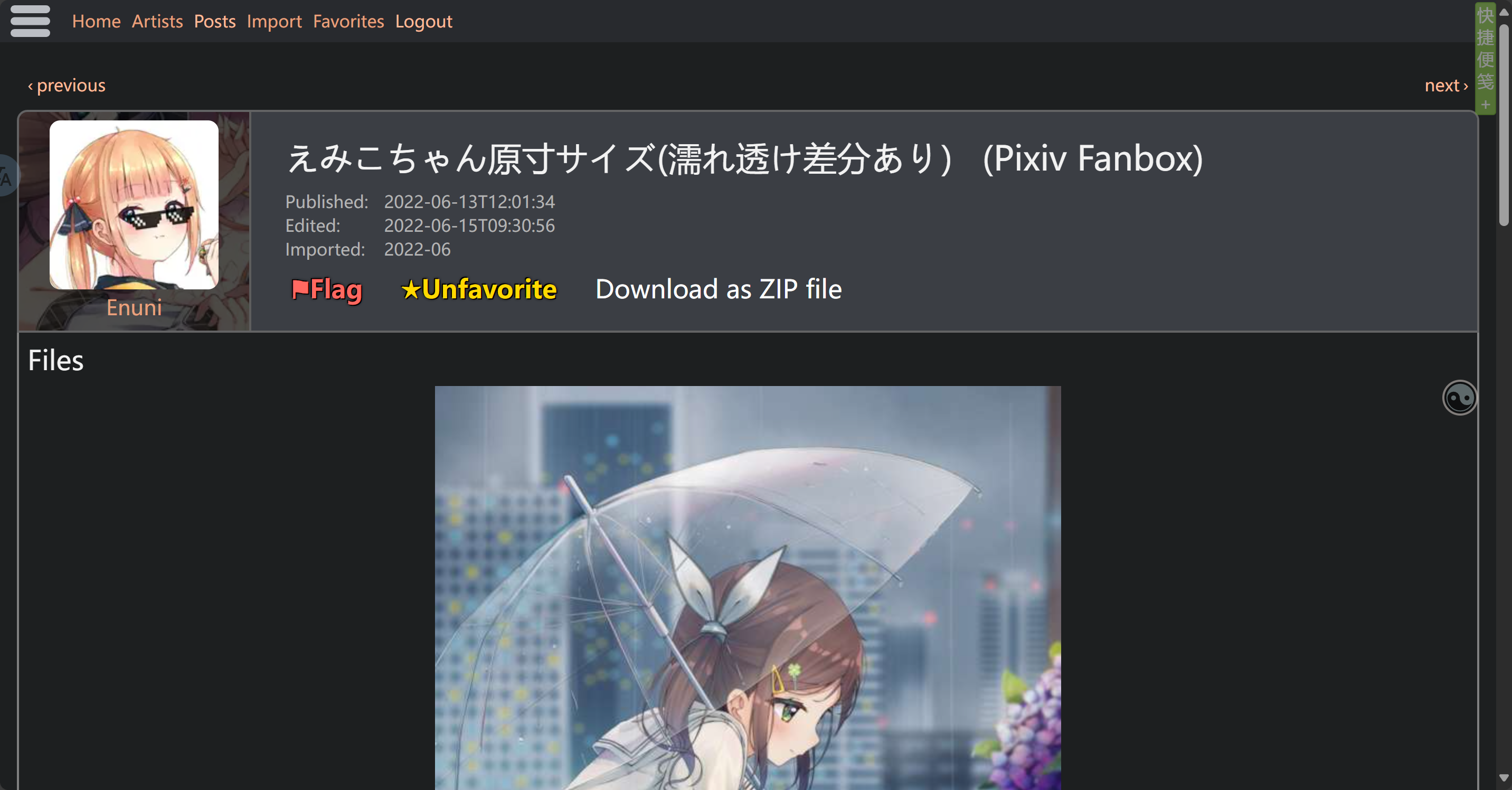
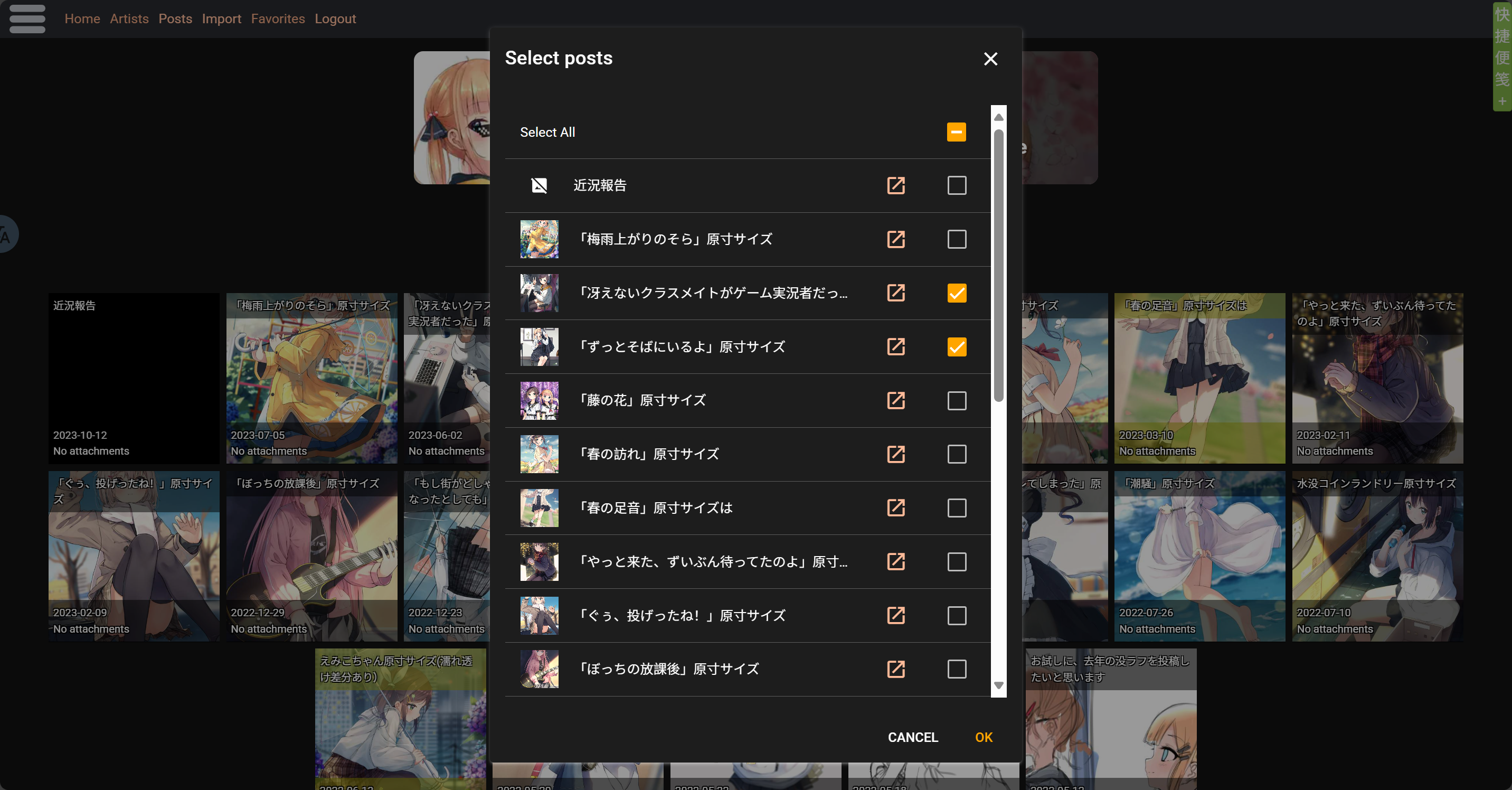
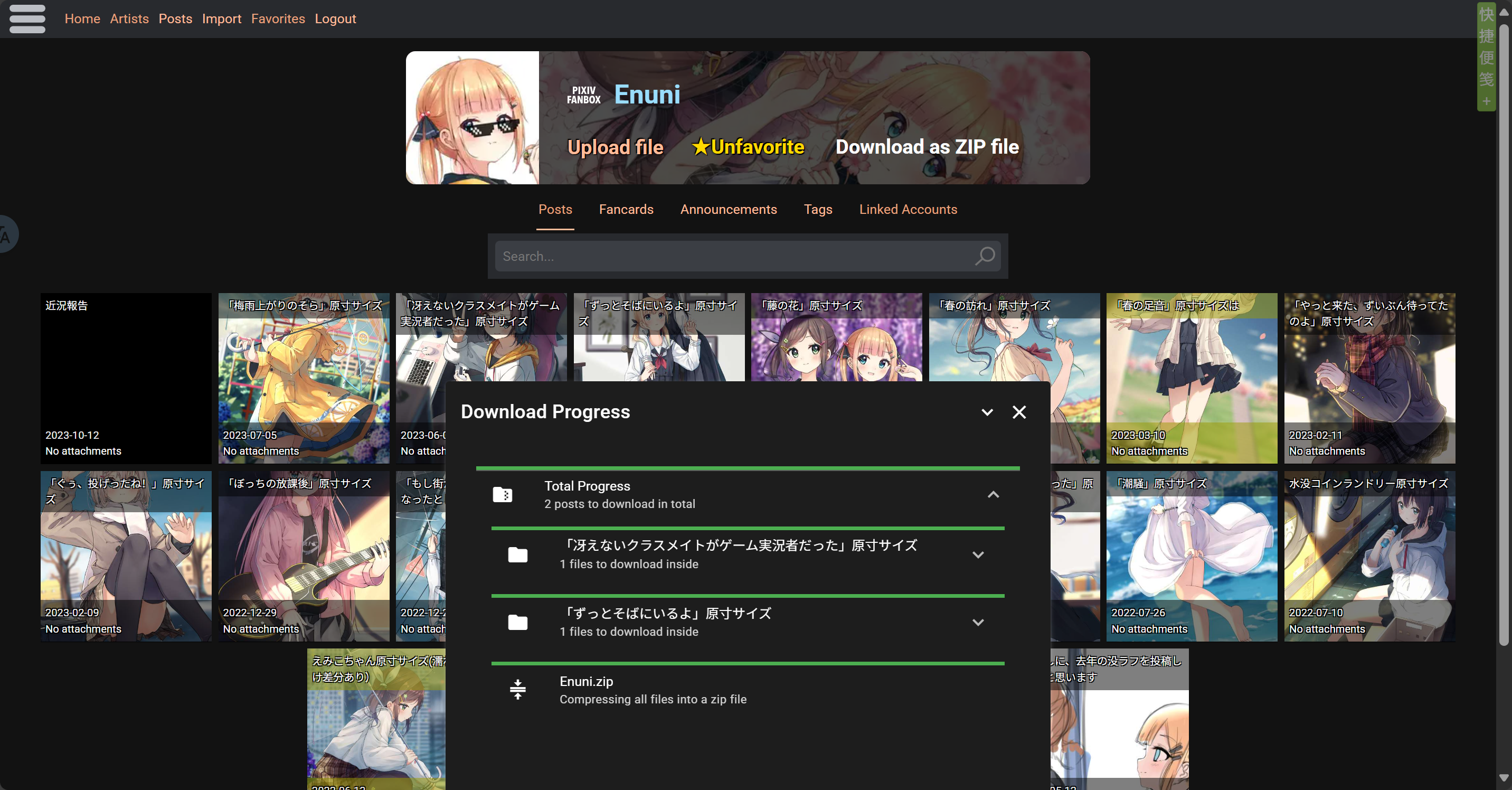
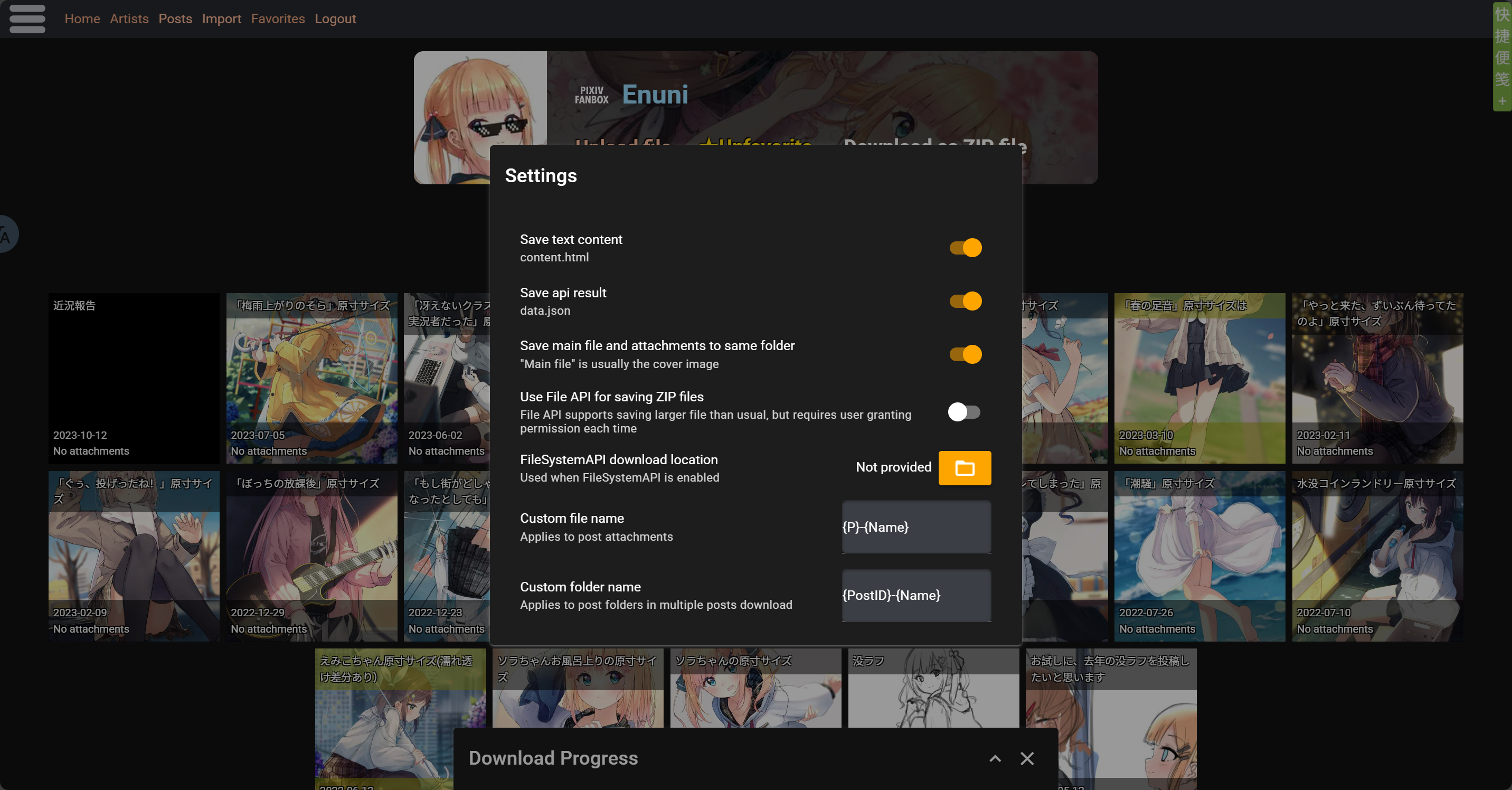
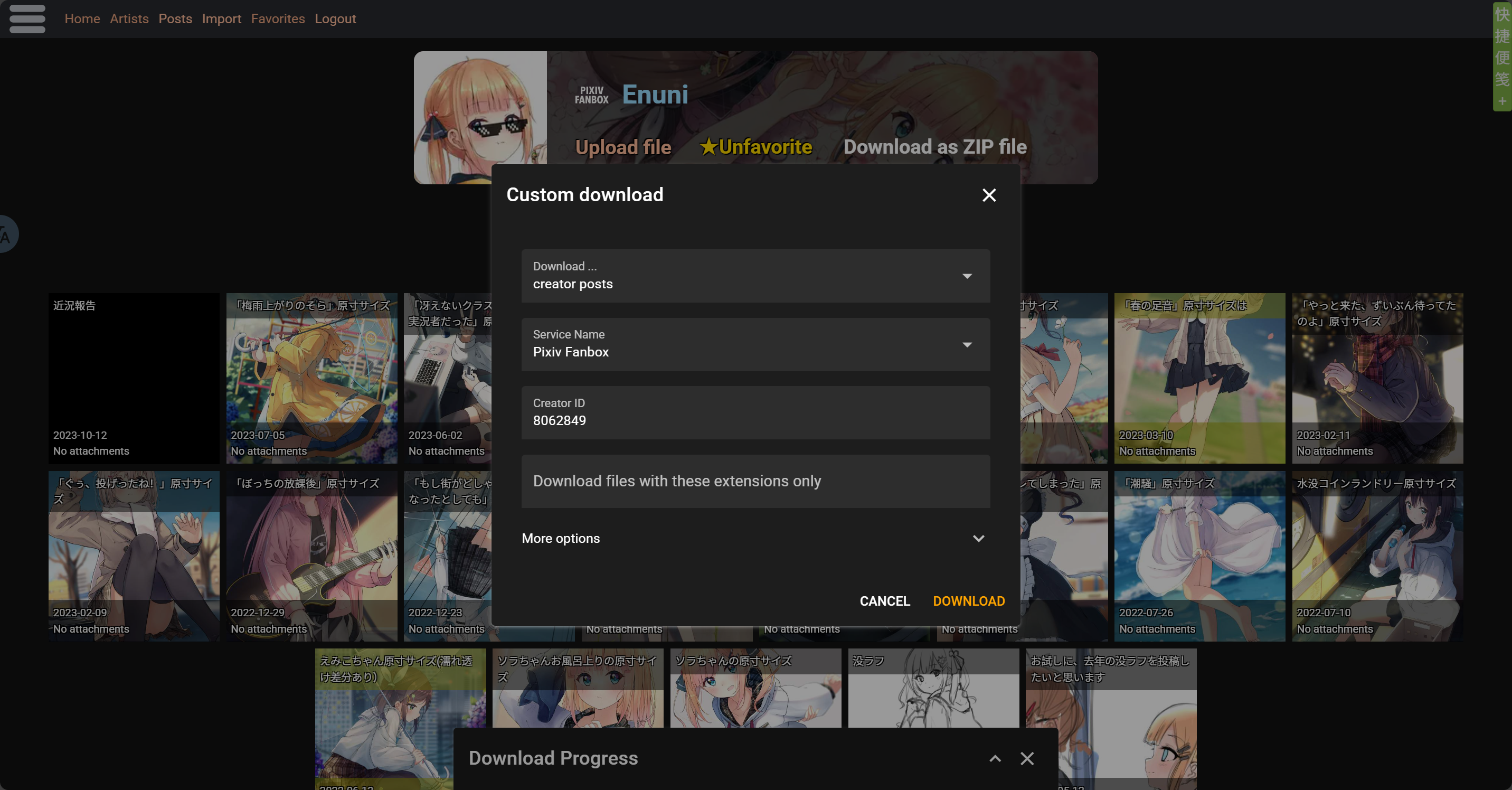
Screenshot

image.png image.png image.png image.png

ZIP file content

The zip file that actually downloaded for you is customizable in script settings, files like api data and text content can be removed from zip file

Downloading one post

  • Post Title.zip\
    • attachments\ Stores all files (images, etc.)
      • 1-file name 1
      • 2-file name 2
      • ...
    • content.html Stores text content
    • file-file name Main file of the post, usually cover pic
    • data.json Stores api data

Downloading multiple posts

  • Creator.zip\
    • Post1 Title\ Stores all files for post1
    • Post2 Title\ Stores all files for post2
    • ...

Note: Please avoid using scripts for large-scale downloads of massive content. Due to browser environments and network limitations, downloading large batches or big files may cause various issues—like ZIP compression failures, connection errors, downloads getting stuck, etc. Currently, the script doesn’t fully support heavy downloading. To prevent errors, freezes, or files not saving properly, it’s better to split your downloads into smaller batches.

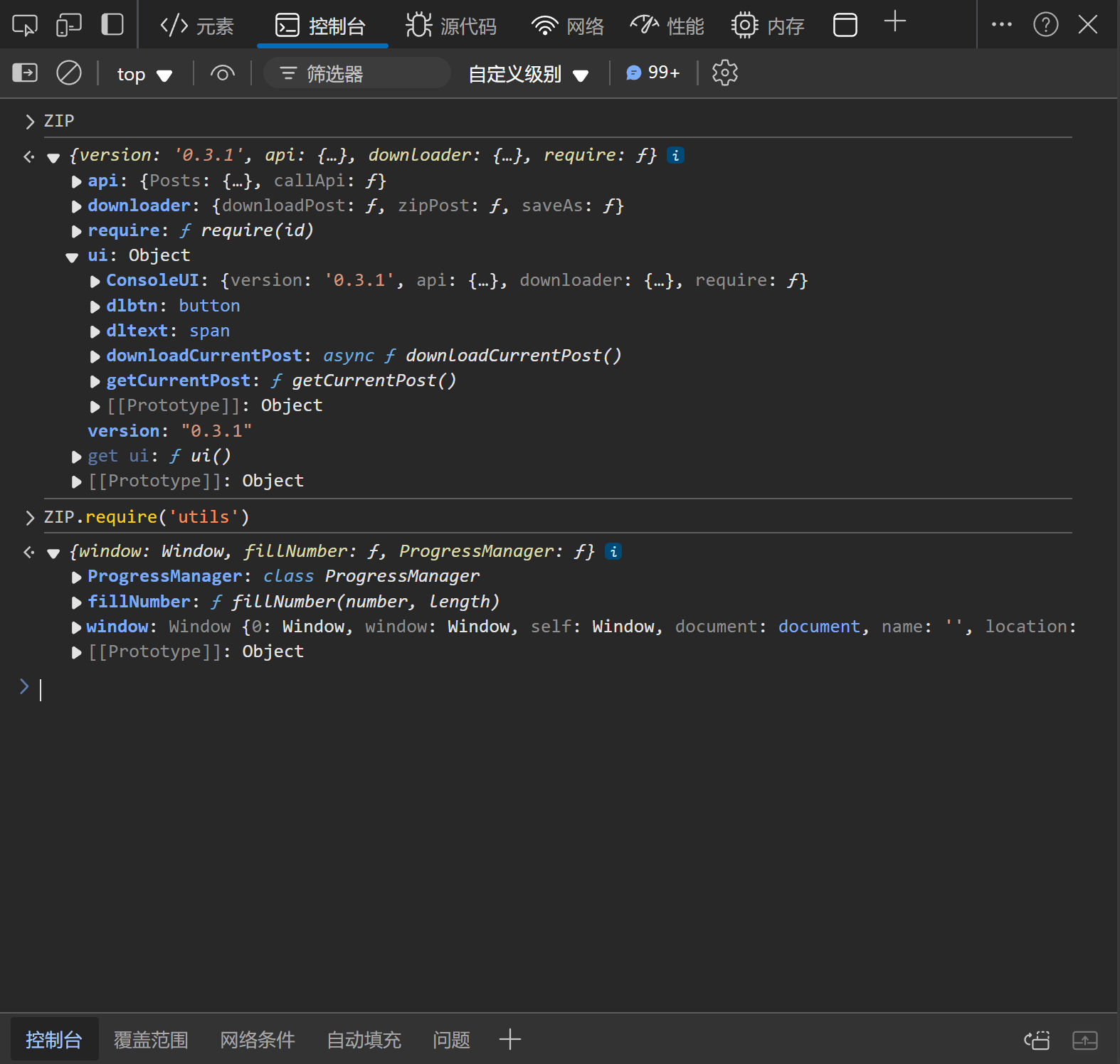
Console User Interface

In addition to the download button in webpage and script-manager's menu, the script also provides a console interface for users to call programmatically. Users can access the interface via window.ZIP object.

The content of the interface may change between script versions. Take a look at the interface after upgrading the script if you use it.
The following screenshot is based on the console interface provided by script version 0.3.1.
ADGuard Exception Rule

With user feedbacks and tests, we found ADGuard extension is blocking some of the userscripts on kemono.su
If this script is not working on kemono.su when you have ADGuard installed and activated, try this ADGuard rule:

kemono.su#@%#//scriptlet("abort-current-inline-script", "globalThis", "break;case")

To use it:

  1. Open ADGuard extension settings
  2. Switch to user filters page
  3. Copy & paste the rule into the user filters textbox in a new line
  4. Save
  5. Reload kemono.su pages

About Batch Downloading and Saving Large Files

With user feedbacks and tests, when downloading a large number of files, the resulting ZIP file can also be very large, which may cause the browser to be unable to save it to the disk. If you encounter this issue, simply enable the "Use File API for saving ZIP files" option in the settings, select the save location, and the problem will be resolved.