☰

Hitomi Revamp

A redesigned hitomi.la: themeable gallery grid, gallery pages and reader, tag autocomplete, hover previews, a global tag blacklist and a per-tab search builder

您需要先安裝使用者腳本管理器擴展,如 Tampermonkey、Greasemonkey 或 Violentmonkey 之後才能安裝該腳本。

You will need to install an extension such as Tampermonkey or Violentmonkey to install this script.

您需要先安裝使用者腳本管理器擴充功能,如 Tampermonkey或 Violentmonkey 後才能安裝該腳本。

您需要先安裝使用者腳本管理器擴充功能,如 Tampermonkey或 Userscripts 後才能安裝該腳本。

你需要先安裝一款使用者腳本管理器擴展,比如 Tampermonkey,才能安裝此腳本

您需要先安裝使用者腳本管理器擴充功能後才能安裝該腳本。

(我已經安裝了使用者腳本管理器,讓我安裝!)

你需要先安裝一款使用者樣式管理器擴展,比如 Stylus,才能安裝此樣式

你需要先安裝一款使用者樣式管理器擴展,比如 Stylus,才能安裝此樣式

你需要先安裝一款使用者樣式管理器擴展,比如 Stylus,才能安裝此樣式

你需要先安裝一款使用者樣式管理器擴展後才能安裝此樣式

你需要先安裝一款使用者樣式管理器擴展後才能安裝此樣式

你需要先安裝一款使用者樣式管理器擴展後才能安裝此樣式

(我已經安裝了使用者樣式管理器,讓我安裝!)

作者
WRE0000
今日安裝
1
安裝總數
9
評價
0 0 0
版本
1.0.0
建立日期
2026-10-06
更新日期
2026-10-06
尺寸
105.8 KB
授權條款
MIT
腳本執行於

Hitomi Revamp

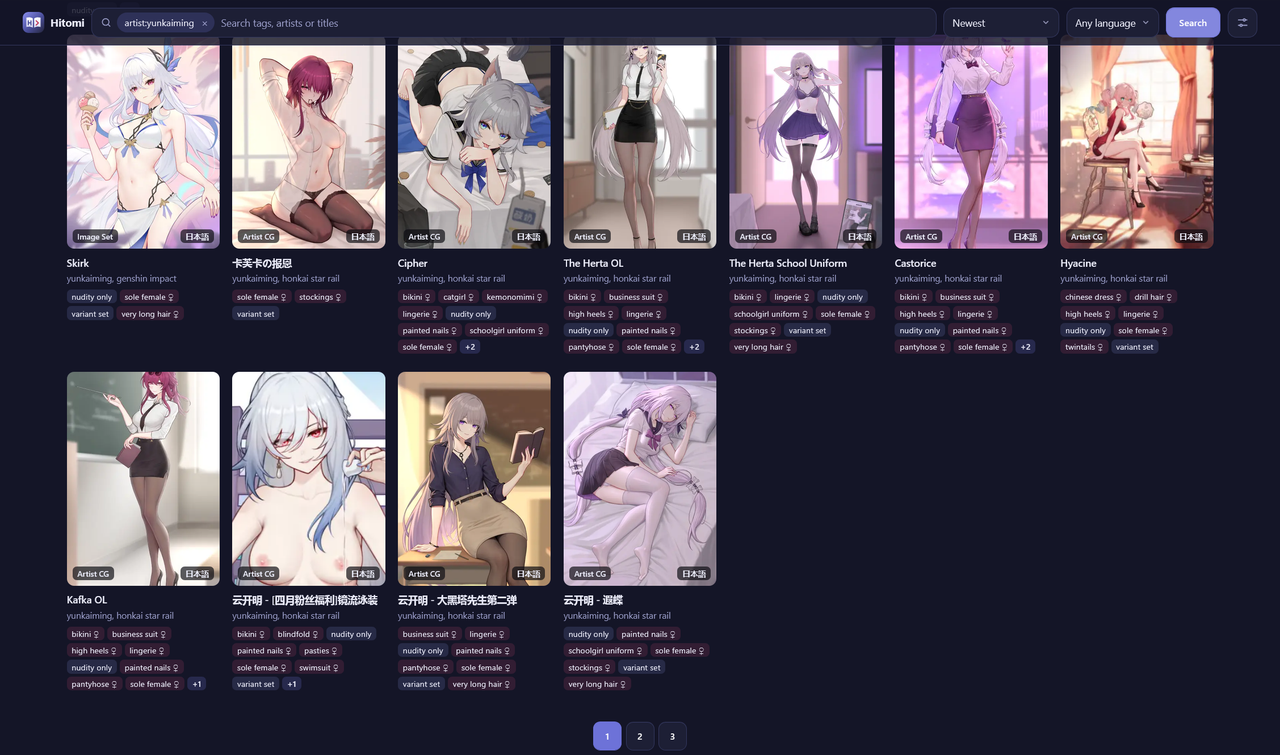
A cleaner, faster hitomi.la. New layouts for lists, gallery pages and the reader, plus the stuff the site is missing.

Preview

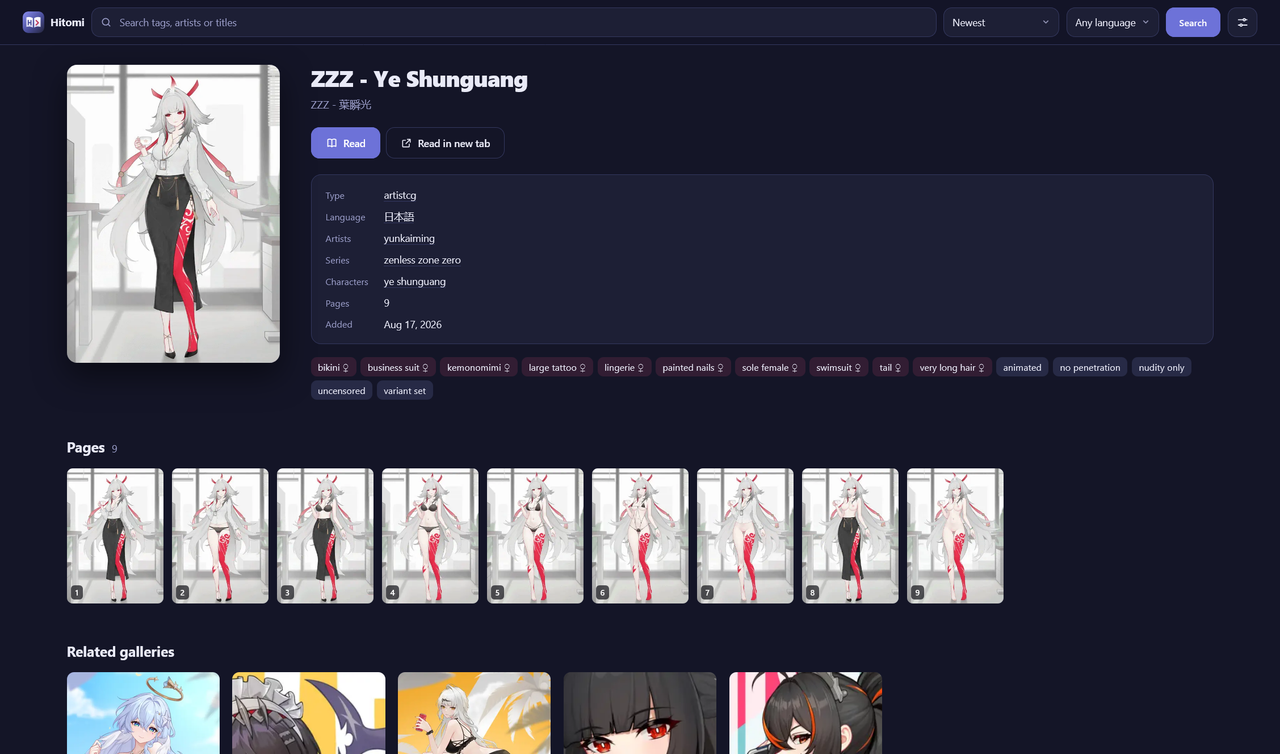
Search Gallery page
Search Gallery page
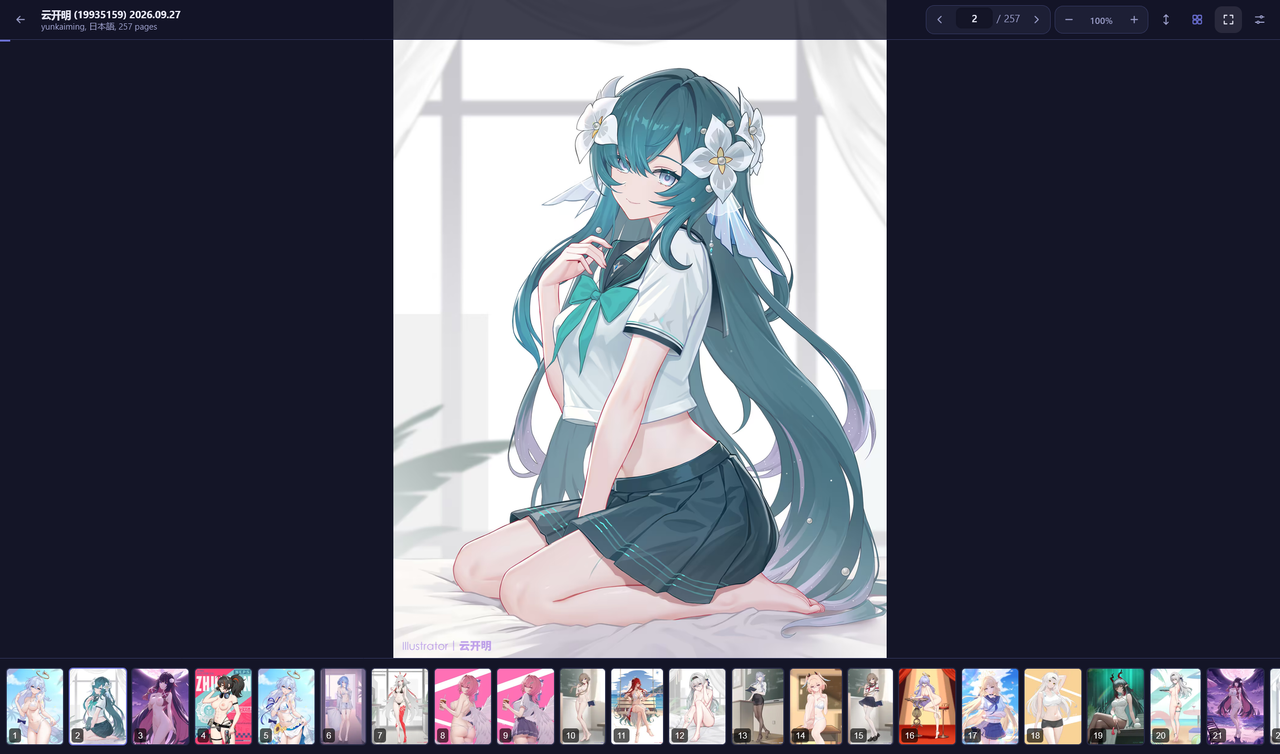
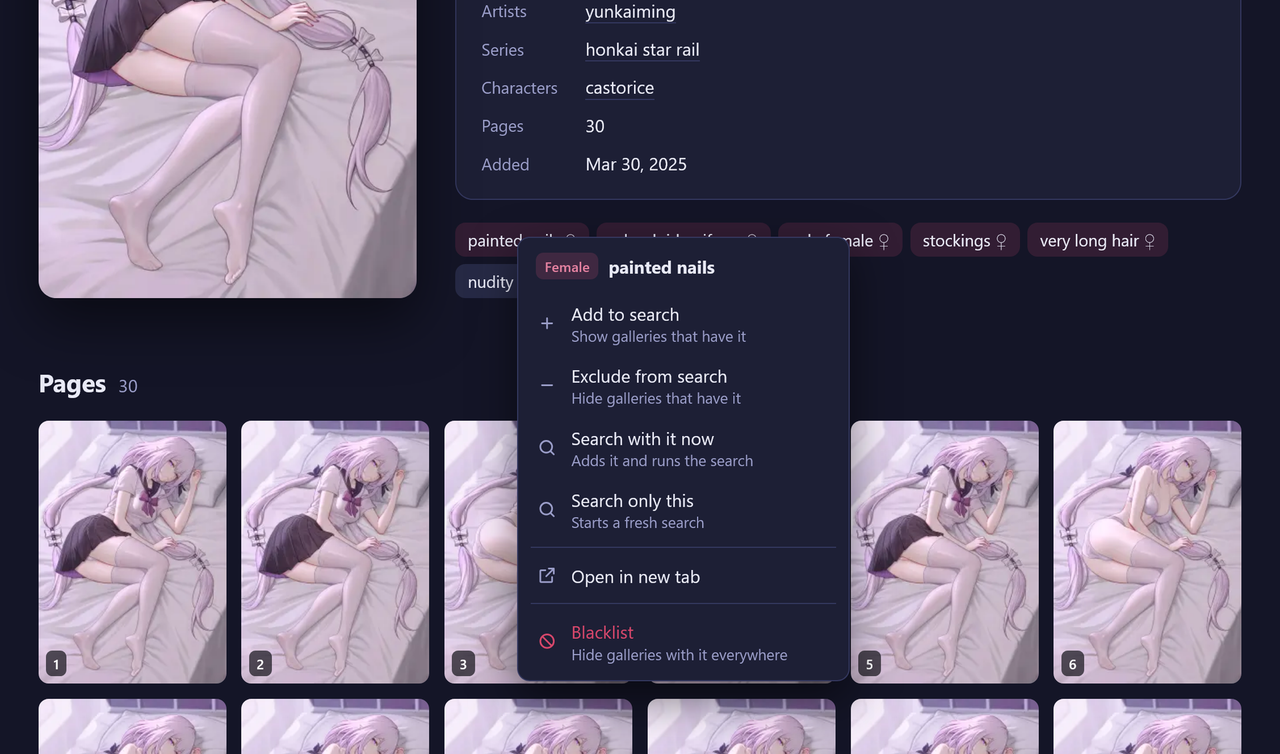
Reader Context menu
Reader Context menu

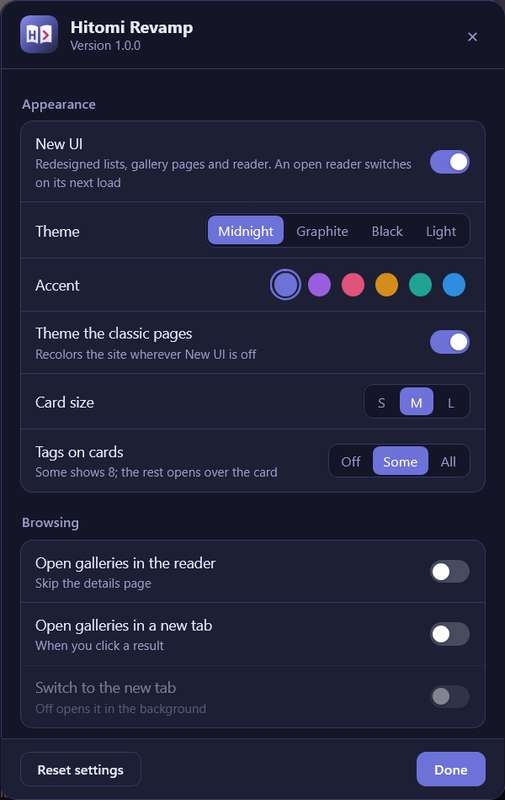
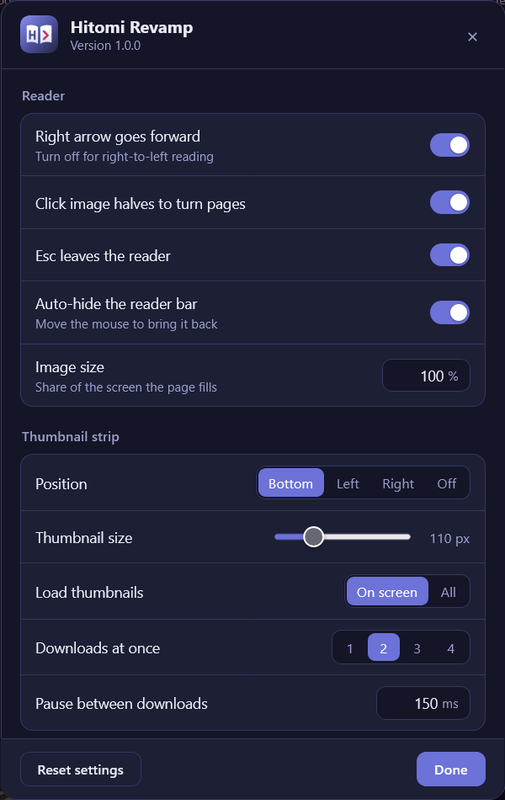
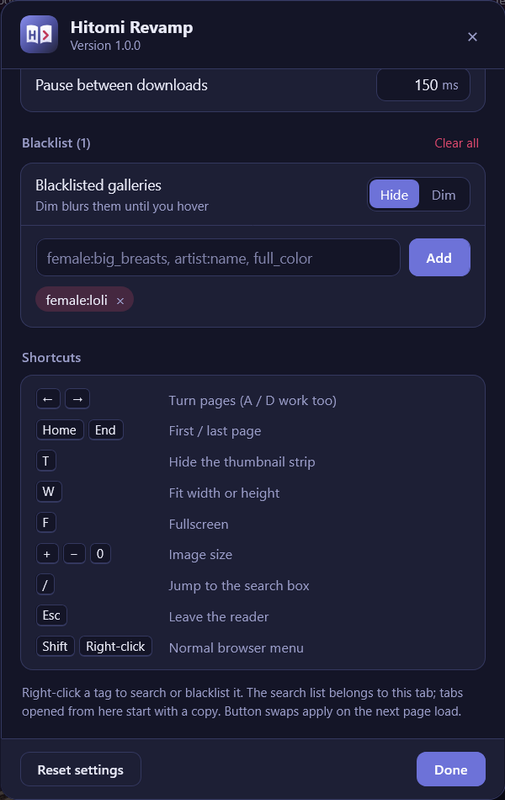
Settings

Settings Settings Settings

Features

  • New UI: a themeable card grid, proper gallery pages, and a distraction-free reader. Turn it off any time to get the classic site back (with an optional dark recolor).
  • Search bar with autocomplete: tags show up as chips, with quick sort and language filters.
  • Hover previews: hover a card to peek at its pages.
  • Right-click any tag to add it to the search, exclude it, or blacklist it.
  • Global blacklist: hide or blur galleries with tags you don't want, on every page.
  • Per-tab search: each tab keeps its own search terms.
  • Reader: thumbnail strip, page counter, image size, fit width/height, and auto-hiding controls. Back leaves the reader in one press.
  • Themes: Midnight, Graphite, Black and Light, with six accent colors.

Shortcuts

Key Action
← → or A D Turn pages
Home / End First / last page
T Toggle thumbnail strip
W Fit width / height
F Fullscreen
+ / − / 0 Image size
Esc Leave the reader
/ Focus search
Shift + right-click Browser's normal menu

Settings

Use the sliders button in the top bar or reader bar, the logo button at the bottom left on classic pages, or your userscript manager's menu.

Notes

Works with Tampermonkey and Violentmonkey. Found a bug or a page that looks off? Leave feedback with a screenshot.