
What are user scripts?
User scripts put you in control of your browsing experience. Once installed, they automatically make the sites you visit better by adding features, making them easier to use, or taking out the annoying bits. The user scripts on Sleazy Fork were written by other users and posted to share with the world. They're free to install and easy to use.
Step 1: install a user script manager
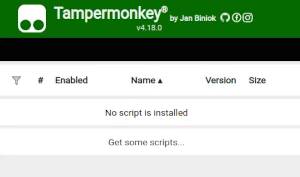
To use user scripts you need to first install a user script manager. Which user script manager you can use depends on which browser you use.
Desktop Mobile (Android) Mobile (iOS)
- Chrome: Tampermonkey or Violentmonkey
- Firefox: Greasemonkey, Tampermonkey, or Violentmonkey
- Safari: Tampermonkey or Userscripts
- Microsoft Edge: Tampermonkey or Violentmonkey
- Opera: Tampermonkey or Violentmonkey
- Maxthon: Violentmonkey
- AdGuard (no additional software required)
- Firefox: Greasemonkey, Tampermonkey, or Violentmonkey
- Microsoft Edge: Tampermonkey
- Maxthon: Violentmonkey
- Dolphin: Tampermonkey
- UC: Tampermonkey
- XBrowser (no additional software required)
- EinkBro (no additional software required)
- Safari: Tampermonkey or Userscripts
- Gear (no additional software required)
- Teak (no additional software required)
- EinkBro (no additional software required)
Step 2: install a user script
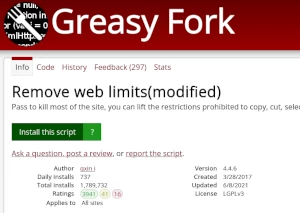
Browse this site to find a user script you want to try. Here is a sample of the most popular scripts:
- Chaturbate Enhancer - Паляпшае Chaturbate, дадаўшы некалькі новых функцый: прагляд з некалькіх камер, перамотку трансляцыі, папярэдні прагляд трансляцыі, запіс трансляцыі, кіраванне відэа, онлайн-расклады, спіс блакіроўкі і многае іншае!
- Відэа калекцыі рэзервовага капіявання Missav Batch - Атрымайце файлы малюнкаў і інфармацыю пра відэа з бягучай старонкі MISSAV і ўкажыце загружаны файл вэб -старонкі пасля аб’яднання вынікаў.
- Толькі што споўнілася 18 гадоў - Паколькі мне толькі споўнілася 18, я магу назіраць за зместам для дарослых
- Загрузка Twitter Media (2025.12.02 Выпраўлена) - Eénklik downloaden van video's/afbeeldingen, ondersteunt batch-download en pakt ze automatisch in een ZIP-bestand. Ondersteunt de nieuwste API-interface.
- NSFWDL – бясплатны загрузчык відэа: PornHub, xHamster, XVideos, XNXX у MP4 HD адным клікам - Спампоўвайце відэа, не пакідаючы старонку: PornHub (з Shorties), xHamster, XVideos, XNXX, RedGifs, Eporner, SpankBang і яшчэ 13 сайтаў. Выбірайце сапраўдную якасць з памерам файла, сачыце за прагрэсам у рэальным часе, і MP4 захаваецца ў спампоўкі. Кнопкі на мініяцюрах, любімая якасць адным клікам, без усплывальных вокнаў.
Once you've found a user script, click the green install button on the user script's page, and your user script manager will ask you to confirm the install.
Step 3: use the user script
Go to the site the user script affects. It should automatically do its thing. After trying out the user script for a while, go back to where you installed the user script and leave some feedback for the user script's author.