
What are user scripts?
User scripts put you in control of your browsing experience. Once installed, they automatically make the sites you visit better by adding features, making them easier to use, or taking out the annoying bits. The user scripts on Sleazy Fork were written by other users and posted to share with the world. They're free to install and easy to use.
Step 1: install a user script manager
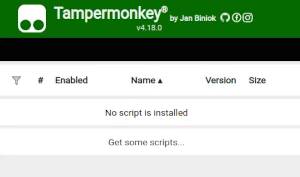
To use user scripts you need to first install a user script manager. Which user script manager you can use depends on which browser you use.
Desktop Mobile (Android) Mobile (iOS)
- Chrome: Tampermonkey or Violentmonkey
- Firefox: Greasemonkey, Tampermonkey, or Violentmonkey
- Safari: Tampermonkey or Userscripts
- Microsoft Edge: Tampermonkey or Violentmonkey
- Opera: Tampermonkey or Violentmonkey
- Maxthon: Violentmonkey
- AdGuard (no additional software required)
- Firefox: Greasemonkey, Tampermonkey, or Violentmonkey
- Microsoft Edge: Tampermonkey
- Maxthon: Violentmonkey
- Dolphin: Tampermonkey
- UC: Tampermonkey
- XBrowser (no additional software required)
- EinkBro (no additional software required)
- Safari: Tampermonkey or Userscripts
- Gear (no additional software required)
- Teak (no additional software required)
- EinkBro (no additional software required)
Step 2: install a user script
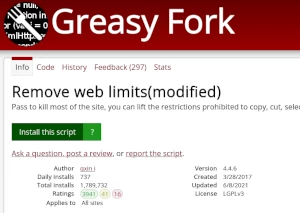
Browse this site to find a user script you want to try. Here is a sample of the most popular scripts:
- Gelbooru Paged Gallery - A simplified gallery for viewing gelbooru images in succession.
- 18 taong gulang lang - Dahil nag -18 na lang ako, makakapanood ako ng nilalaman ng may sapat na gulang
- GayTorrent - Auto-Expand Gallery Pics - Awtomatikong pinapalaki ang mga thumbnail ng gallery sa seksyong Mga Larawan sa buong sukat nang hindi nagki-click.
- SIMPCITY DOWNLOADER - $IMPC!TYDOWNLOADER downloads images and videos from XenForo posts
- NSFWDL – libreng video downloader: PornHub, xHamster, XVideos, XNXX sa HD MP4 sa isang click - Mag-download ng mga video nang hindi umaalis sa page: PornHub (kasama ang Shorties), xHamster, XVideos, XNXX, RedGifs, Eporner, SpankBang at 13 pang site. Pumili ng totoong kalidad kasama ang laki ng file, panoorin ang progreso nang live, at diretso sa iyong mga download ang MP4. May download button sa mga thumbnail, paboritong kalidad sa isang click, walang pop-up.
Once you've found a user script, click the green install button on the user script's page, and your user script manager will ask you to confirm the install.
Step 3: use the user script
Go to the site the user script affects. It should automatically do its thing. After trying out the user script for a while, go back to where you installed the user script and leave some feedback for the user script's author.