Imaglr - Widescreen Improvements

Makes the main post container on Imaglr full width, optionally displaying multiple posts per row. Adjust post size and Home page display style.

Dovrai installare un'estensione come Tampermonkey, Greasemonkey o Violentmonkey per installare questo script.

You will need to install an extension such as Tampermonkey to install this script.

Dovrai installare un'estensione come Tampermonkey o Violentmonkey per installare questo script.

Dovrai installare un'estensione come Tampermonkey o Userscripts per installare questo script.

Dovrai installare un'estensione come ad esempio Tampermonkey per installare questo script.

Dovrai installare un gestore di script utente per installare questo script.

(Ho già un gestore di script utente, lasciamelo installare!)

Advertisement:

Dovrai installare un'estensione come ad esempio Stylus per installare questo stile.

Dovrai installare un'estensione come ad esempio Stylus per installare questo stile.

Dovrai installare un'estensione come ad esempio Stylus per installare questo stile.

Dovrai installare un'estensione per la gestione degli stili utente per installare questo stile.

Dovrai installare un'estensione per la gestione degli stili utente per installare questo stile.

Dovrai installare un'estensione per la gestione degli stili utente per installare questo stile.

(Ho già un gestore di stile utente, lasciamelo installare!)
Advertisement:

Autore
Hentiedup
Installazioni giornaliere
0
Installazioni totali
5
Valutazione
0 0 0
Versione
2.0.3
Creato il
17/04/2026
Aggiornato il
02/06/2026
Dimensione
3,02 KB
Licenza
Unlicense
Applica a

Imaglr - Widescreen Improvements

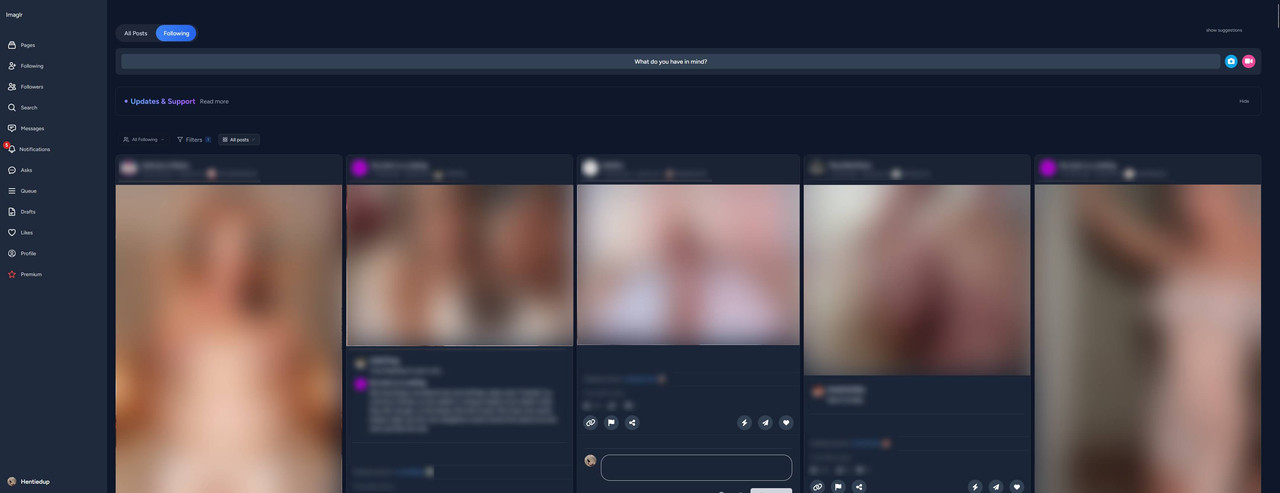
Makes the main post container on Imaglr full width, optionally displaying multiple posts per row. Also lets you adjust post size and home page display style. (Affects Home page and Profile pages)

Screenshot ^Example screenshot on an ultrawide monitor^

Also makes it so the little "Suggestions" box on the side, does not take up screen space when hidden. You can hide it from the small "hide" button on it, and show it again by clicking on "show suggestion" at the top of the page on the right. (see screenshot)


You need Stylus to be able to install userstyles.


Settings

Settings found in Stylus menu by clicking the cog icon next to the style.

  • Post Container Width: Sets the width of the main container that houses all the posts.
  • Single Post Width: Sets the desired post width.
    • Note that in Grid and Masonry view modes, posts will be enlarged to fill the remaining available space up to until there is enough space to fit a new post at desired width.
    • e.g. If there is 1200px of space, and you have Single Post Width set to 500px, it can't fit 3 in a row, so instead it will expand the 2 it can fit.
  • Home Page Mode: Lets you choose the view mode for the home page.