
युझर स्क्रिप्ट काय असतात?
User scripts put you in control of your browsing experience. Once installed, they automatically make the sites you visit better by adding features, making them easier to use, or taking out the annoying bits. The user scripts on Sleazy Fork were written by other users and posted to share with the world. They're free to install and easy to use.
पाऊल 1 - एखादे युझर स्क्रिप्ट व्यवस्थापक इंस्टॉल करा
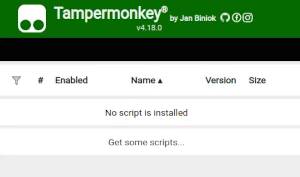
युझर स्क्रिप्ट वापरण्याच्या आधी एक युझर स्क्रिप्ट व्यवस्थापक इंस्टॉल करणे आवश्यक आहे. .तुम्ही कोणता युझर स्क्रिप्ट व्यवस्थापक वापरू शकता हे तुम्ही वापरणार्या ब्राउझरवर अवलंबून आहे.
डेस्कटॉप मोबाइल (अँड्रॉइड) मोबाइल (iOS)
- Chrome: Tampermonkey or Violentmonkey
- Firefox: Greasemonkey, Tampermonkey, or Violentmonkey
- Safari: Tampermonkey or Userscripts
- Microsoft Edge: Tampermonkey or Violentmonkey
- Opera: Tampermonkey or Violentmonkey
- Maxthon: Violentmonkey
- AdGuard (no additional software required)
- Firefox: Greasemonkey, Tampermonkey, or Violentmonkey
- Microsoft Edge: Tampermonkey
- Maxthon: Violentmonkey
- Dolphin: Tampermonkey
- UC: Tampermonkey
- XBrowser (no additional software required)
- EinkBro (no additional software required)
- Safari: Tampermonkey or Userscripts
- Gear (no additional software required)
- Teak (no additional software required)
- EinkBro (no additional software required)
पाऊल 2 - युझर स्क्रिप्ट इंस्टॉल करा
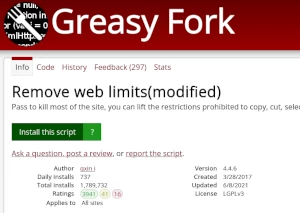
Browse this site to find a user script you want to try. Here is a sample of the most popular scripts:
- Stripchat - Hide Private Models (All Pages) - Automatically hide models who are in private or ticket shows across all Stripchat pages, not just Indian section. Clean browsing experience focused on public/free models only!
- नुकतेच 18 वर्षांचे झाले - मी नुकताच 18 वर्षांचा होतो, म्हणून मी प्रौढ सामग्री पाहू शकतो
- Spankbang AV Bypass - Overwrites cookies for Spankbang domains to make it think you're from the United States. Bypassing verification of all types, including challenges and real ID verification.
- Miss Player | 影院模式 (单手播放器) - MissAV去广告|单手模式|MissAV自动展开详情|MissAV自动高画质|MissAV重定向支持|MissAV自动登录|定制播放器|多语言支持 支持 jable po*nhub 等通用
- cheatmoggle - premium omoggle script
Once you've found a user script, click the green install button on the user script's page, and your user script manager will ask you to confirm the install.
पाऊल 3 - युझर स्क्रिप्ट वापरा
Go to the site the user script affects. It should automatically do its thing. After trying out the user script for a while, go back to where you installed the user script and leave some feedback for the user script's author.