Modified Booru Downloader + Viewer (Fixed for rule34.xxx as of February 2022)
Regarding this repost/fork of the original script by Se7en
I'm posting this because recently the script finally stopped working due to some sort of error that says "DOMException: The play() request was interrupted." I have no coding experience so I won't be maintaining this script. Feel free to take over as Se7en no longer maintains this script either and I don't have the expertise to. I fixed the issue(line 2873) by copying the code from a fix detailed in this article. It was a very sloppy copy and paste and honestly I have no idea what it does so there's probably a better fix out there. I also changed the viewer to stretch all images to fit to screen and I have no idea how to change it back. It's on line 3956 if anyone wants to try and fix it.
Here's a pastebin of this description if you want to add onto and repost this.
Short description
This script allows you to download/view images on the various imageboard sites. When download mode is enabled, make a simple click on the image thumbnail to start donwloading the image. Use Left/Right1 hotkeys to navigate, when viewing images.
1 use Ctrl+Left/Right on donmai.us imageboards, because the Left/Right hotkeys are attached to paginator
List of originally supported imageboards:
gelbooru.com, rule34.xxx, yande.re, donmai.us (danbooru.donmai.us, sonohara.donmai.us, etc.), sankakucomplex.com (both sankaku: chan.sankakucomplex.com, idol.sankakucomplex.com), behoimi.org (3dbooru), youhate.us, safebooru.org, uberbooru.com, bronibooru.com, mspabooru.com, e926.net, e621.net, booru.org (all subdomains), atfbooru.ninja, lolibooru.moe, hypnohub.net, tbib.org, konachan.net, konachan.com, rule34.paheal.net
Small glossary
-
image initialization – getting the original image's data (source link, tag list, etc.)
-
empty image – the image that is tracked by the script, but not initialized
-
busy image – the image that is in progress of the initialization
-
ready image – the image that is initialized
Quick start
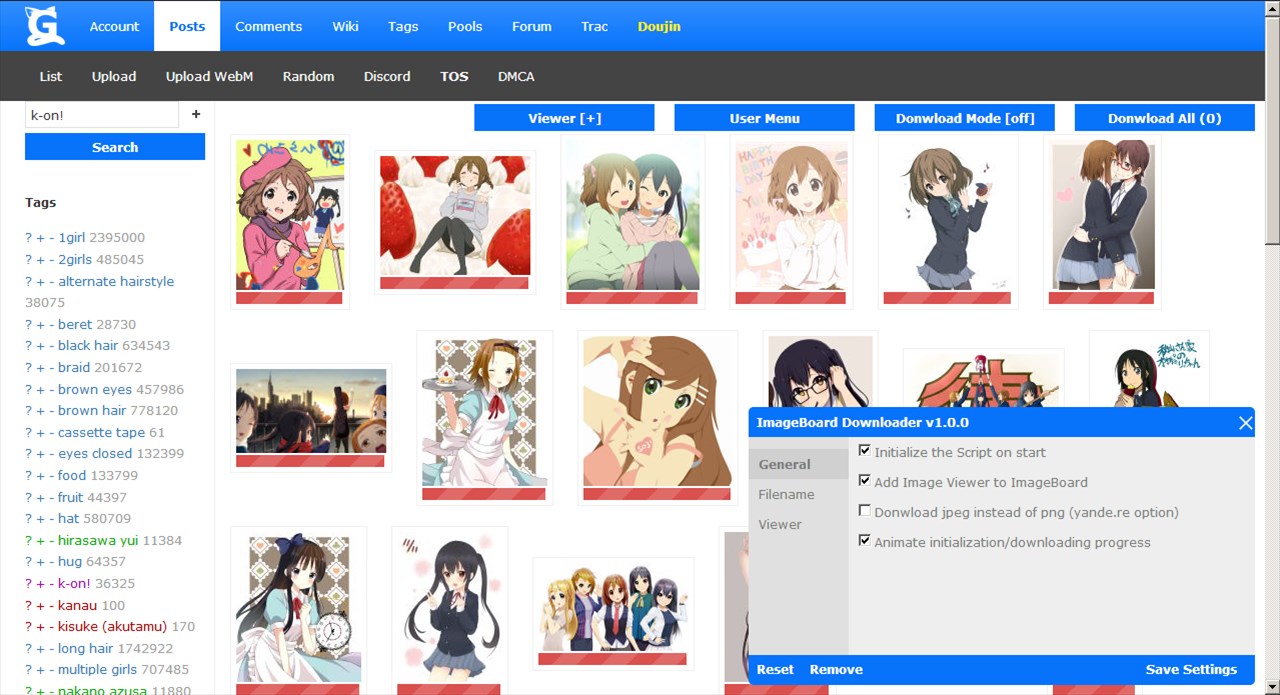
By default the script initializes all the available images on the start
2
. The initialized image is indicated by the yellow colored status bar on its bottom.
2
If some images aren't initialized, use Shift+I hotkey to complete initialization
-
Hotkeys
-
Shift+A
- download all the ready (initialized) images
-
Shift+D
- switch the Download Mode on/off
-
Shift+I
- (re)initialize the images
it is usefull for imageboards with auto paging, or when some images are not initialized due to an error 429 (too many requests)
-
Shift+M
- open/close the user menu window
-
Shift+V
- open/close the viewer
-
Left/Right
- view previous/next image
1
-
Image downloading
-
In order to download the ready image, the Download Mode must be activated: use Shift+D hotkey, or press "Download Mode" button. Once the Download Mode is activated
3
, make a simple click on the image (thumbnail) to start the download. The downloading progress is indicated by the blue colored progress bar on the image's bottom. After the donwload is complete, the color of the image's status bar is changed to green.
-
One can also download the ready image by clicking on the "Download" button on the viewer's navigation bar.
-
To download all the ready images, use hotkey Shift+A, or press the "Download All" button. The amount of the ready images is visible on the button's name, e.i. 20 images are result in the name "Download All (20)", and if 4 images are downloaded, then the name is "Download All (4/20)".
-
Image viewing
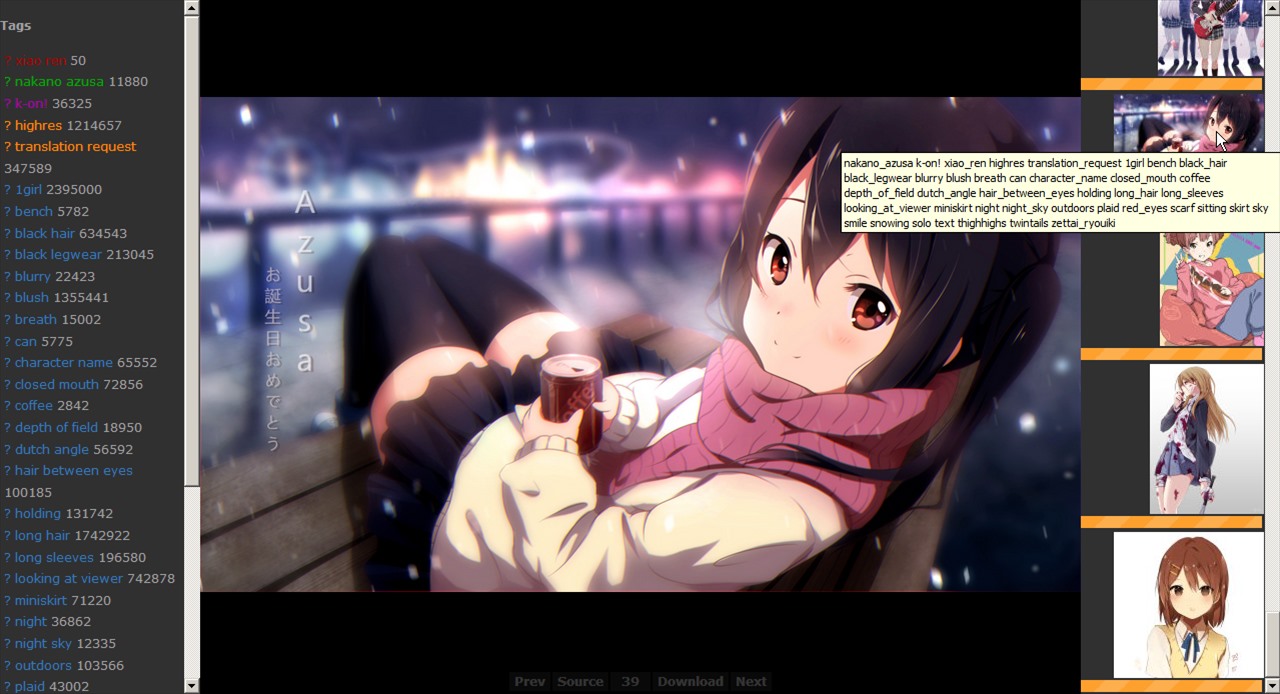
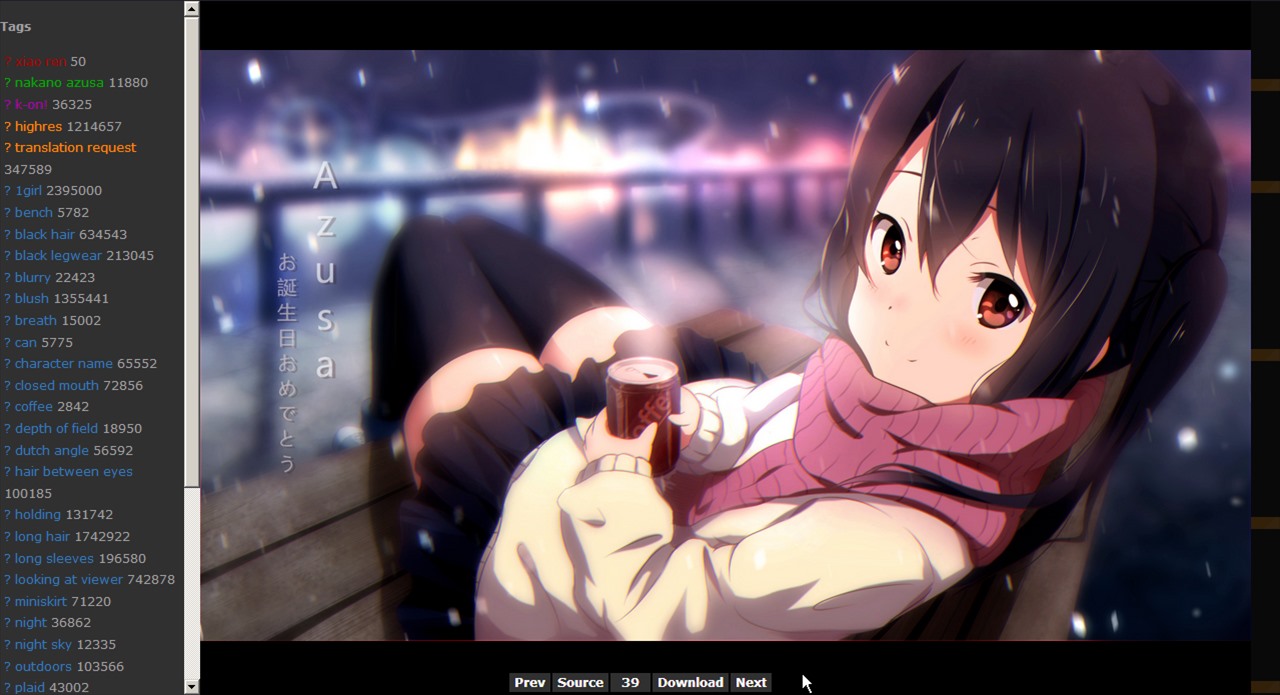
In order to open the viewer, use hotkey Shift+V, or press the "Viewer" button. By default, the first image is loaded on the first open. To start viewing, the image must be initialized. There are 3 ways to navigate when viewing:
-
Left/Right
1
hotkeys
-
a simple click on the thumbnails (right sidebar)
4
-
the "Prev"/"Next" buttons on the viewer's navigation bar (bottom)
4
The tag list of the viewed image is shown on the left sidebar.
3
The enabled "Download Mode" button has suffix "[on]", disabled one - "[off]"
4
The viewer's thumbnails and navigation bar are hidden, they fade in when the mouse cursor is over the right side/bottom of the viewer window
-
You can download the image only once per page open - if the image is downloaded, the script sets its state as "downloaded", and that image is no more available for download, unless you refresh the site page.
-
When downloading large amount of images at a time (e.i. by clicking the "Download All (40)" button), it may cause the error 429 (too many requests), that results in stop of downloading. Wait a little, then try again (click the "Downalod All" button again) to resume downloading.
Script configuration (user options)
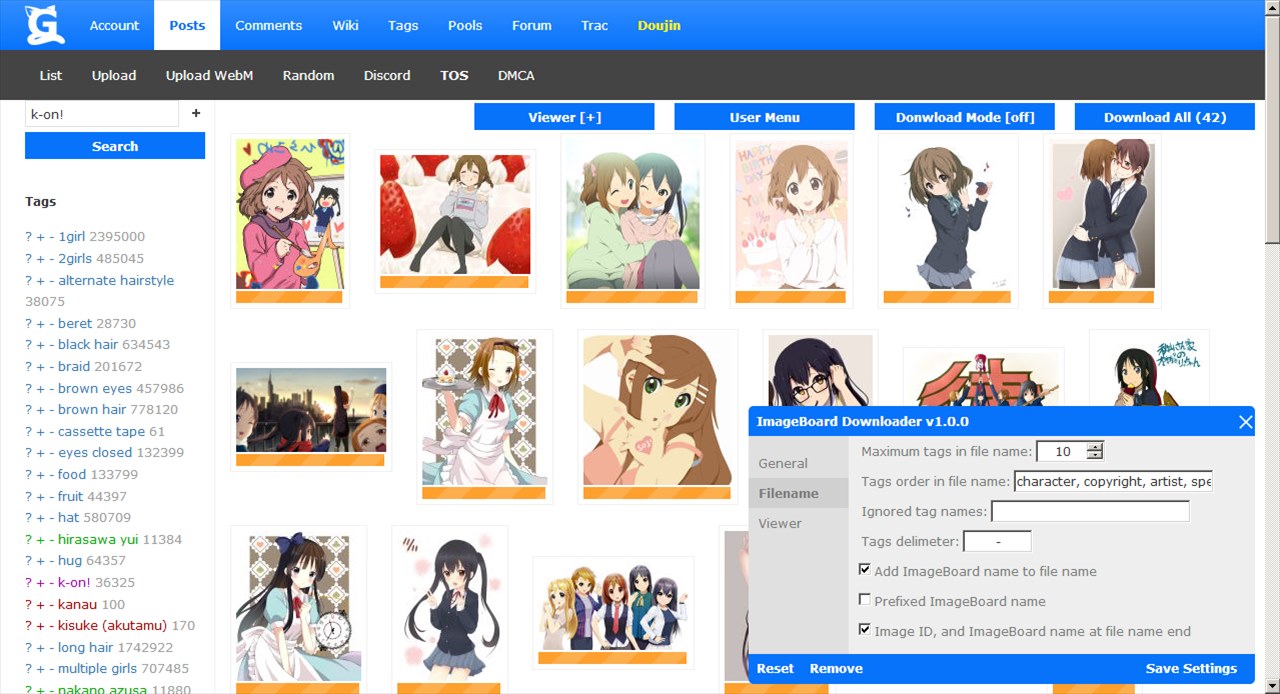
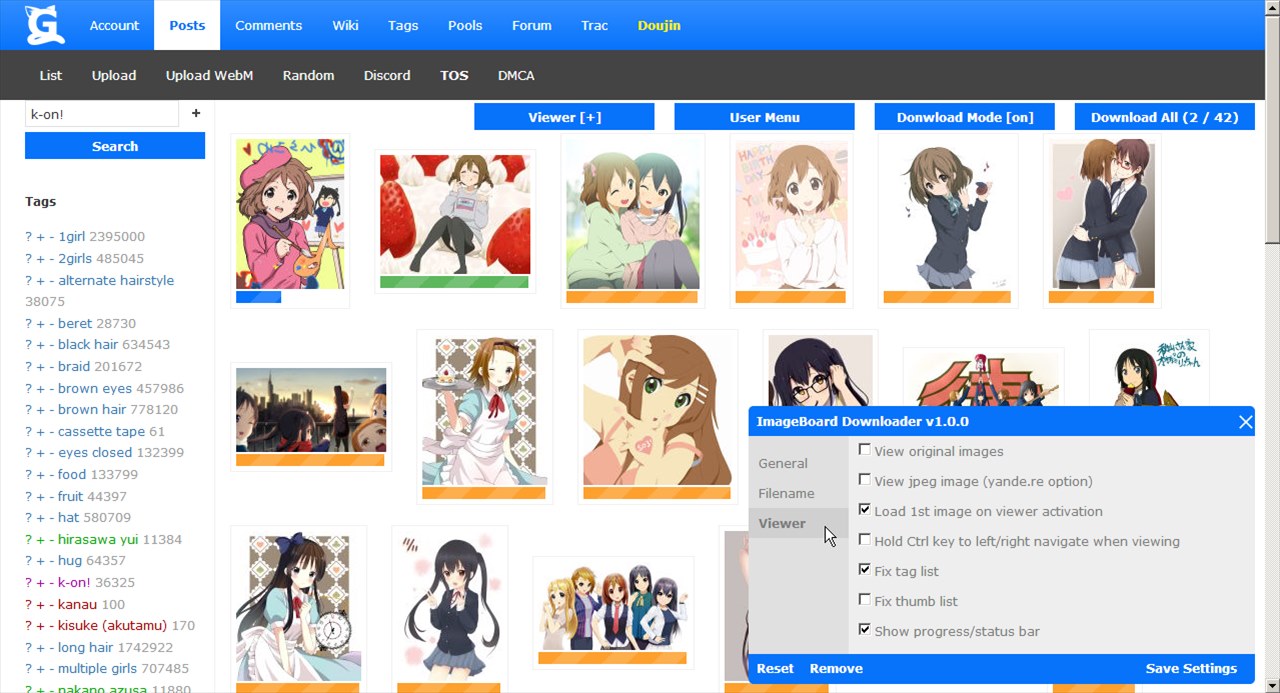
This script uses GM.setValue/GM.getValue API to save/load the configuration data. The user interface is attached to the popup window (user options' window). To open/close the user interface press Shift+M, or click on the "User Menu" button. The cofiguration data (user options) is devided into 3 categories called "General", "Filename", and "Viewer":
-
General
options:
-
autoRun
– initialize the images on start – [
true
]
-
createViewer
– add image viewer to imageboard – [
true
]
-
downloadJPEG
– download jpeg image (jpeg vs png on yande.re) – [
false
]
on yande.re (and yande.re like) imageboards the highres images may have 2 versions with the same resolution: png (large filesize), and jpeg (smaller filesize), if so, the enabled
downloadJPEG
option forces to download the jpeg image
-
animateProgress
– animate initialization/downloading progress – [
true
]
this option enables, or disables the animation of the status/progress bar when the image initialization/downloading starts. Warning, the animation may increase CPU load
-
Filename
options:
-
maxTagsInName
– maximum tags in file name – [
10
]
the maximum amount of the tags that are added to the filename, it is limited by 100
-
tagsOrder
– tags order in file name – [see defaults below]
the ordered list of tag-types according to which the tags are added to the filename, default is ['character', 'copyright', 'artist', 'species', 'model', 'idol', 'photo_set', 'circle', 'medium', 'metadata', 'general', 'faults']
-
ignoredTags
– ignored tag names – []
comma separated list of tag names that are skiped when making the filename
-
tagsDelim
– tags delimeter – ['
‒
']
the delimeter of tag names in the filename, it is the character string limited by length 4
-
addImgBrdName
– add imageboard name to file name – [
true
]
-
prefixedName
– prefixed names of imageboards – [
false
]
when true, the long/prefixed name is used, otherwise – short name, e.i. chan.sankakucomplex.com has the prefixed/long name – 'chan.sankaku', and the short name - 'sankaku';
-
imgIdAtNameEnd
– image ID and imageboard name at file name end – [
true
]
if true, then add the image ID, and the imageboard name to the filename end, otherwise – to the begin. The image ID is always added to the filename, and the imageboard name is always placed before the image ID
-
Viewer
options:
-
viewOriginal
– view original images – [
false
]
if true, then the original image is loaded when viewing, otherwise – the image sample
-
viewJPEG
– view jpeg image (yande.re option) – [
false
]
if there is jpeg version of the original png image, and both (this one, and
viewOriginal
) options are true, then load the jpeg one
-
viewFirst
– load 1st image on viewer open – [
true
]
the image is going to be viewed must be initialized, otherwise nothing happens
-
holdCtrl
– hold Ctrl key to left/right navigate when viewing – [
false
]
-
fixedTags
– fix tag list – [
true
]
-
fixedThumbs
– fix thumb list – [
false
]
-
showProgress
– show progress/status bar – [
true
]
show or hide status/progress bar on the viewer's thumbnails
Progress / status bar
There are 4 states
5
of the image's status/progress bar:
-
the empty image has the red colored status bar
-
the ready image has the yellow colored status bar
-
the image, that is in progress of downloading has the blue colored progress bar
-
the downloaded image has the green status bar
5
if the option
animateProgress
is enabled, the busy image has the animated red status bar
Changelog