Yande.re Masonry

Yande.re/Konachan Masonry(Waterfall) Layout. Also support danbooru/gelbooru/rule34/sakugabooru/lolibooru/safebooru/3dbooru/xbooru/atfbooru/aibooru et cetera.

You will need to install an extension such as Tampermonkey, Greasemonkey or Violentmonkey to install this script.

You will need to install an extension such as Tampermonkey to install this script.

You will need to install an extension such as Tampermonkey or Violentmonkey to install this script.

You will need to install an extension such as Tampermonkey or Userscripts to install this script.

You will need to install an extension such as Tampermonkey to install this script.

You will need to install a user script manager extension to install this script.

(I already have a user script manager, let me install it!)

You will need to install an extension such as Stylus to install this style.

You will need to install an extension such as Stylus to install this style.

You will need to install an extension such as Stylus to install this style.

You will need to install a user style manager extension to install this style.

You will need to install a user style manager extension to install this style.

You will need to install a user style manager extension to install this style.

(I already have a user style manager, let me install it!)

Yande.re Masonry

Version Changelog License Downloads Vite Userscript Plugin Booru Search Vue Vuetify

English | Simple Readme | 中文

Yande.re/Konachan Masonry(Waterfall) Layout.

Table of Contents

📖 Project Introduction

Yande.re Masonry is a userscript designed specifically for anime image browsing websites, aiming to greatly enhance the browsing experience. It brings practical features such as masonry layout, Chinese tag translation, thumbnail enlargement, double-click page navigation, and more to Yande.re, Konachan, and over 20 Booru sites.

This project was originally improved based on zhzwz/yande-re-chinese-patch and has now evolved into a fully featured modern userscript.

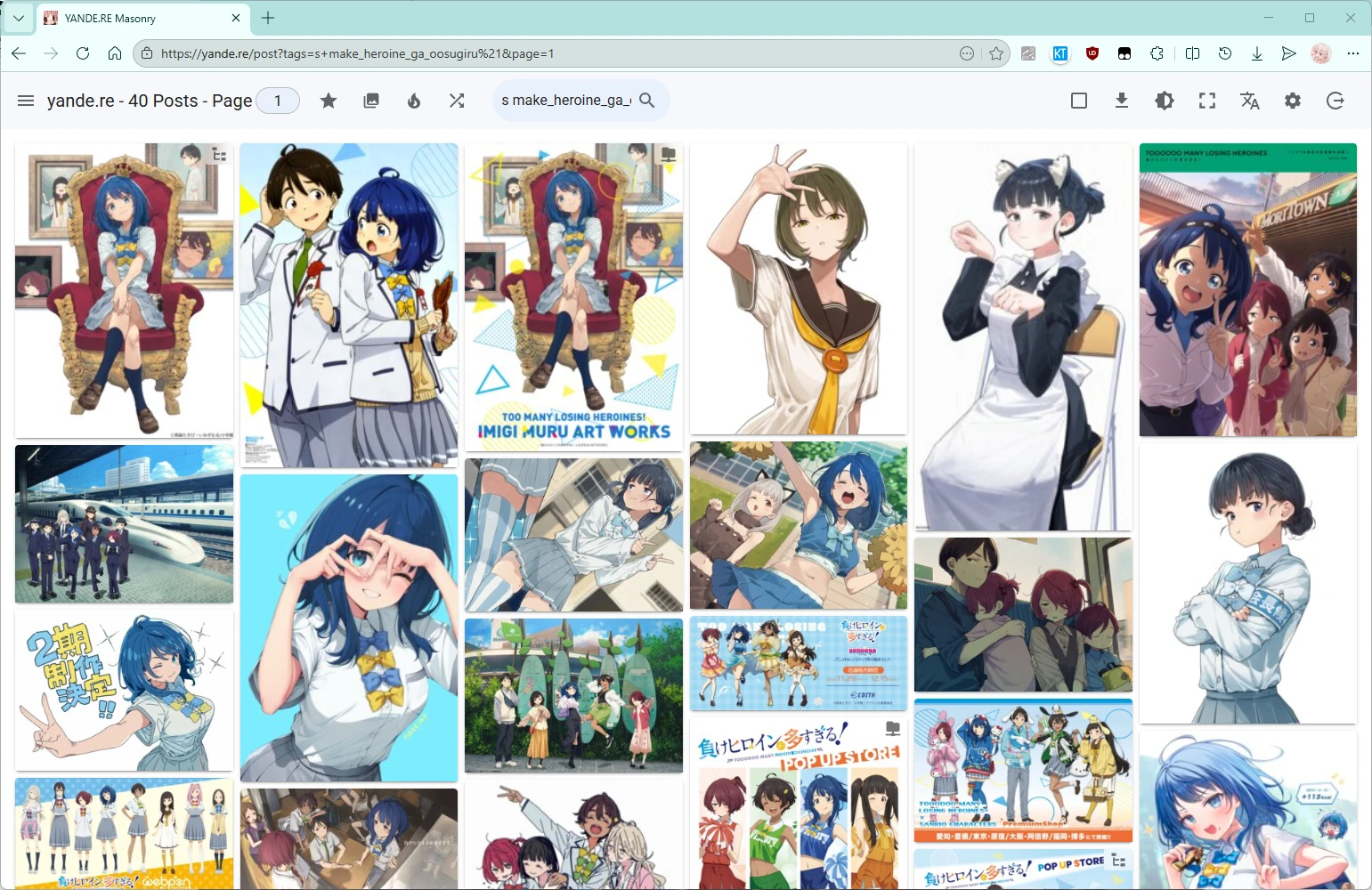
  • 🎨 Immersive Browsing - Masonry layout makes browsing smoother and more efficient
  • 🌏 Localization Support - Complete Chinese tag translation to eliminate language barriers
  • Performance Optimization - Virtual scrolling, lazy loading, and other techniques ensure a smooth experience
  • 🔧 Highly Customizable - Rich configuration options to meet different user needs
  • 🌐 Multi-site Support - Install once, supports 20+ sites

✨ Features

🖼️ Masonry Browsing Mode

Core feature that completely changes the browsing experience:

  • Multiple Layout Modes:

    • Masonry (equal width, variable height) - classic waterfall layout
    • Grid (equal width, equal height) - neat grid
    • Justified (adaptive height, variable width) - compact layout
    • Virtual (virtual scrolling) - best choice for large numbers of images
  • Smart Loading:

    • Automatically loads more when scrolling to the bottom
    • Supports infinite scrolling
    • Virtual scrolling optimizes performance
  • Customizable Column Count:

    • Automatic mode (based on screen width)
    • Manual selection from 1–20 columns
    • Automatically switches to high-definition preview when fewer than 7 columns

🏷️ Chinese Tag Translation

Eliminate browsing barriers caused by English tags:

🔍 Search and Filtering

Powerful search features (based on the original site search syntax):

  • Tag Search: Supports tag autocomplete

  • Advanced Search: Supports meta tags such as rating and order

  • Blacklist Filtering: Local tag blacklist to block unwanted content

  • NSFW Control: One-click toggle to show/hide NSFW content

  • Sorting Methods:

    • By score, favorites, resolution
    • By time, popularity
    • Random, quality sorting

➡️ Quick Browsing

Detail features that improve browsing efficiency:

In non-masonry mode (Y/K sites):

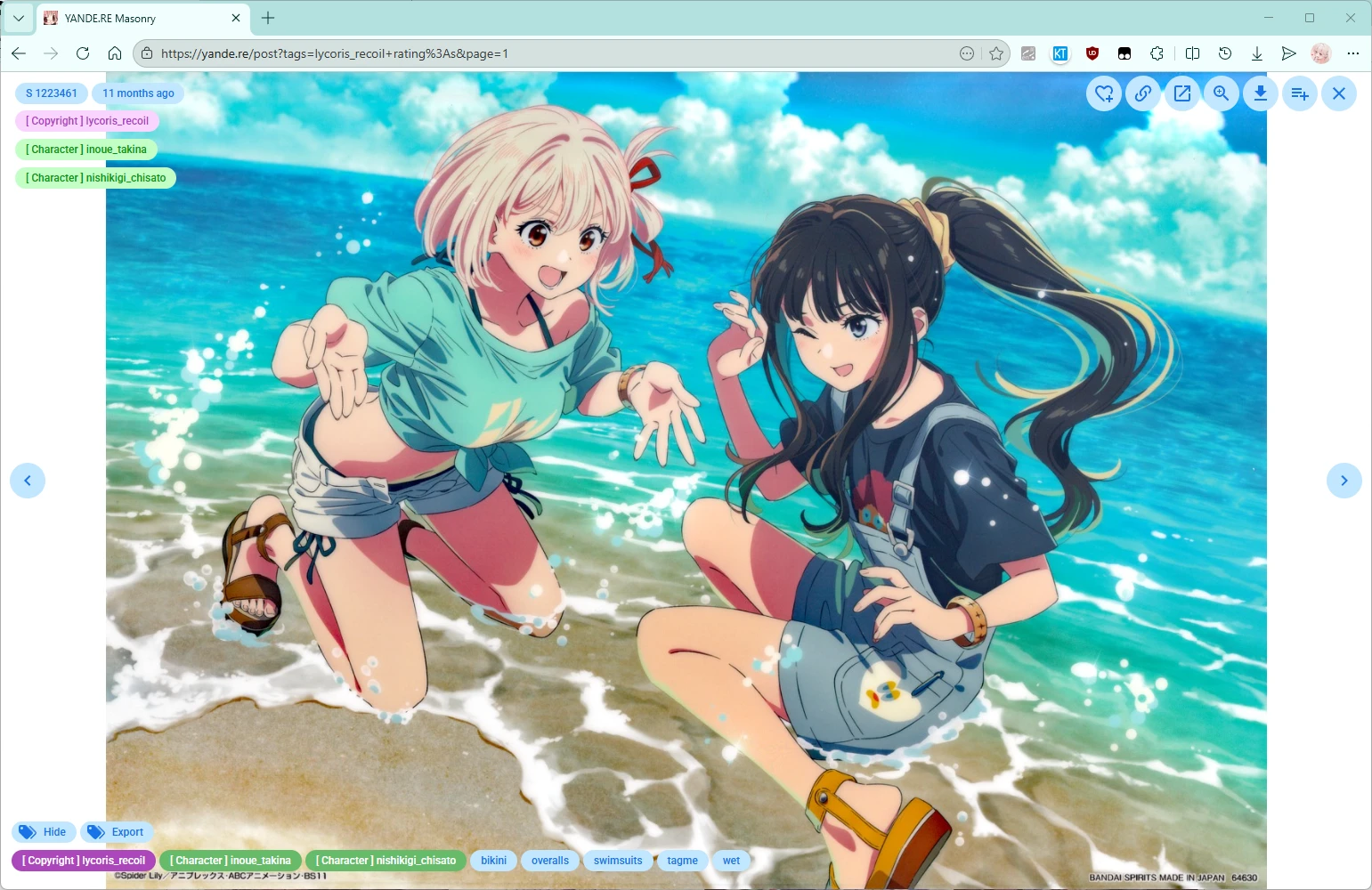
  • Thumbnail Enlargement: Larger preview images to see details at a glance
  • Double-click Paging: Double-click left side for previous page, right side for next page
  • Visited Mark: A horizontal line is shown under images that have been viewed

Masonry mode:

  • Keyboard Navigation: Image detail supports A/D/←/→ keys for paging
  • Mouse Wheel Navigation: Image detail supports mouse wheel paging
  • HD Preview: Thumbnails in the image list can use high-definition image links
  • Image Preloading: Image detail supports preloading the next sample/original image
  • Auto Enter: Can be set to automatically enter masonry mode
  • Images Fill Screen: Supports full-width display mode, balancing immersion and reading whitespace

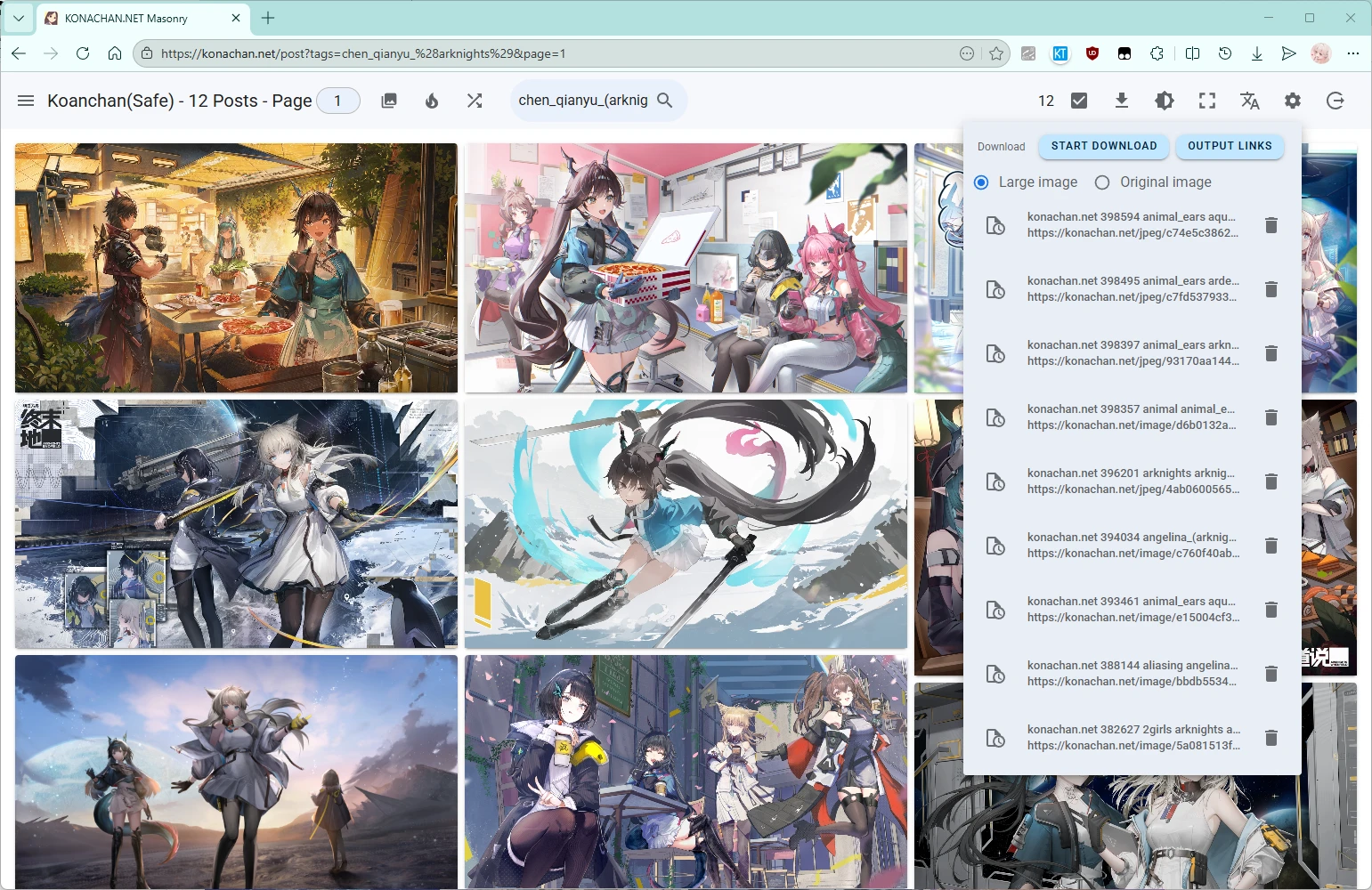
📥 Batch Download

Convenient image management features:

  • Batch Selection: Quickly select multiple images
  • Download List: Manage the download queue
  • Export Links: Export image URLs as TXT, supporting tools like Xunlei/IDM/wget
  • Filename Handling: Domain prefix + artwork tags
  • Download Source Selection: Original file (fileUrl) / JPG compressed image (jpegUrl)

⭐ Favorites and Interaction (Y/K Sites)

  • One-click Favorite: Quickly add to personal favorites
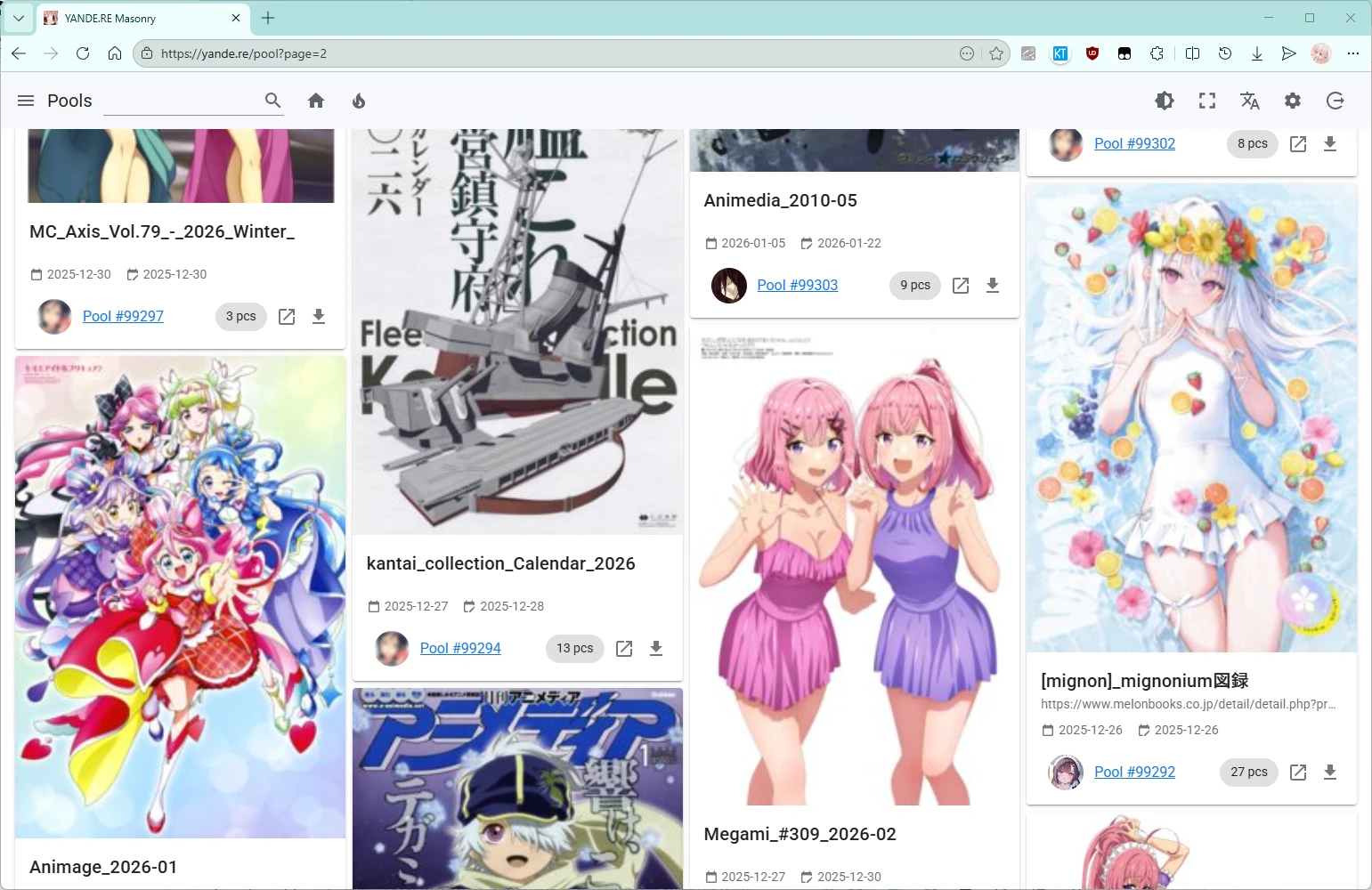
  • Pool Browsing: Browse related artwork collections
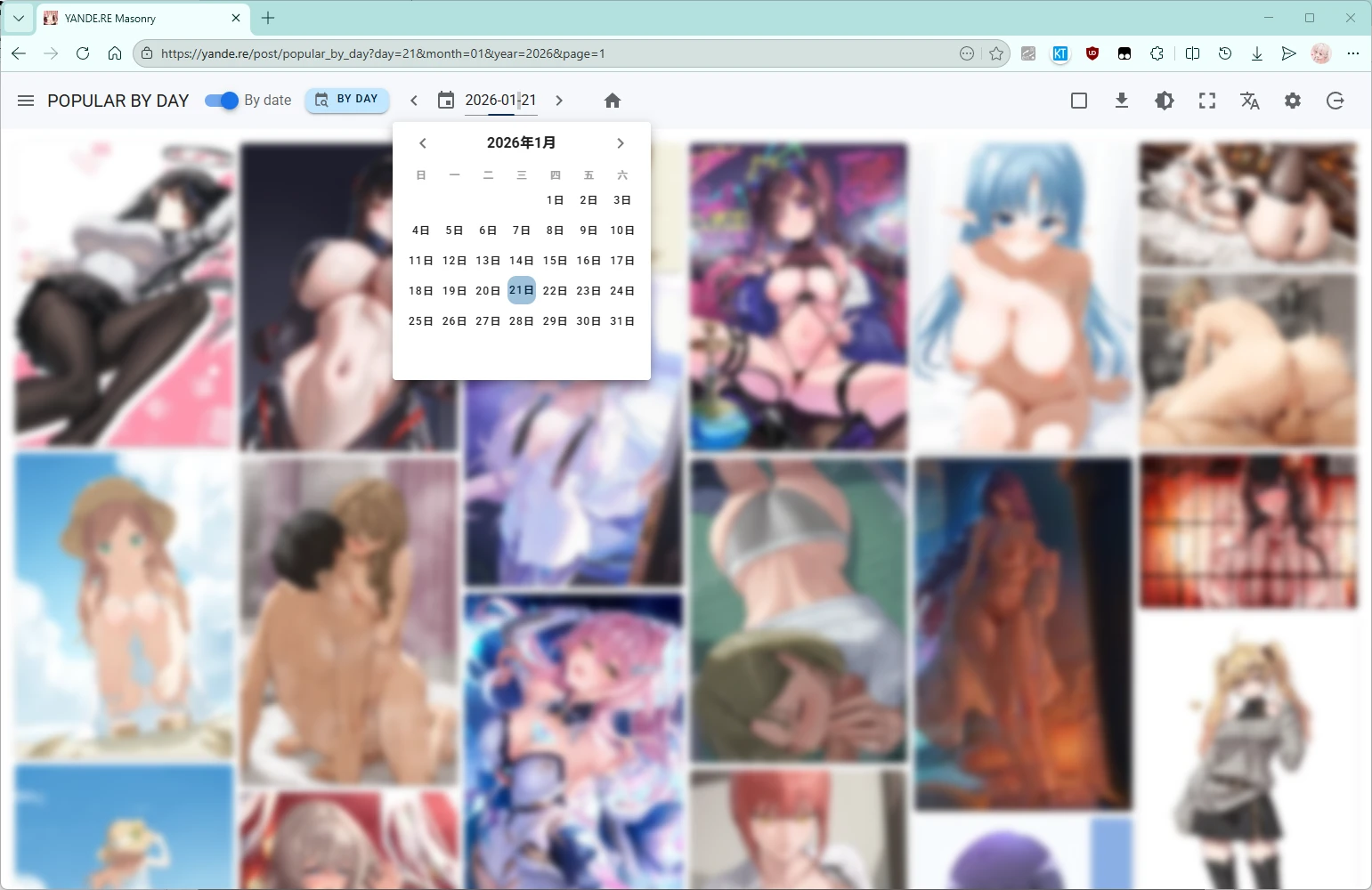
  • Popularity Rankings: View popular, ranked, and recently favorited works

🎛️ Interface Customization

  • Dark Mode: Eye-friendly night browsing experience
  • Fullscreen Mode: Immersive browsing with no distractions
  • Column Switching: Adjust display density according to preference
  • Image Resolution Display: Intuitively view image dimensions
  • Type Indicators: Icon indicators for GIFs, videos, child images, parent images, etc.

🌐 Supported Sites

Full Support (Tag Translation + Double-click Paging + Masonry)

Site URL Features
Yande.re https://yande.re Full support, primary testing site
Konachan https://konachan.com Full support
Konachan(Safe) https://konachan.net Full support
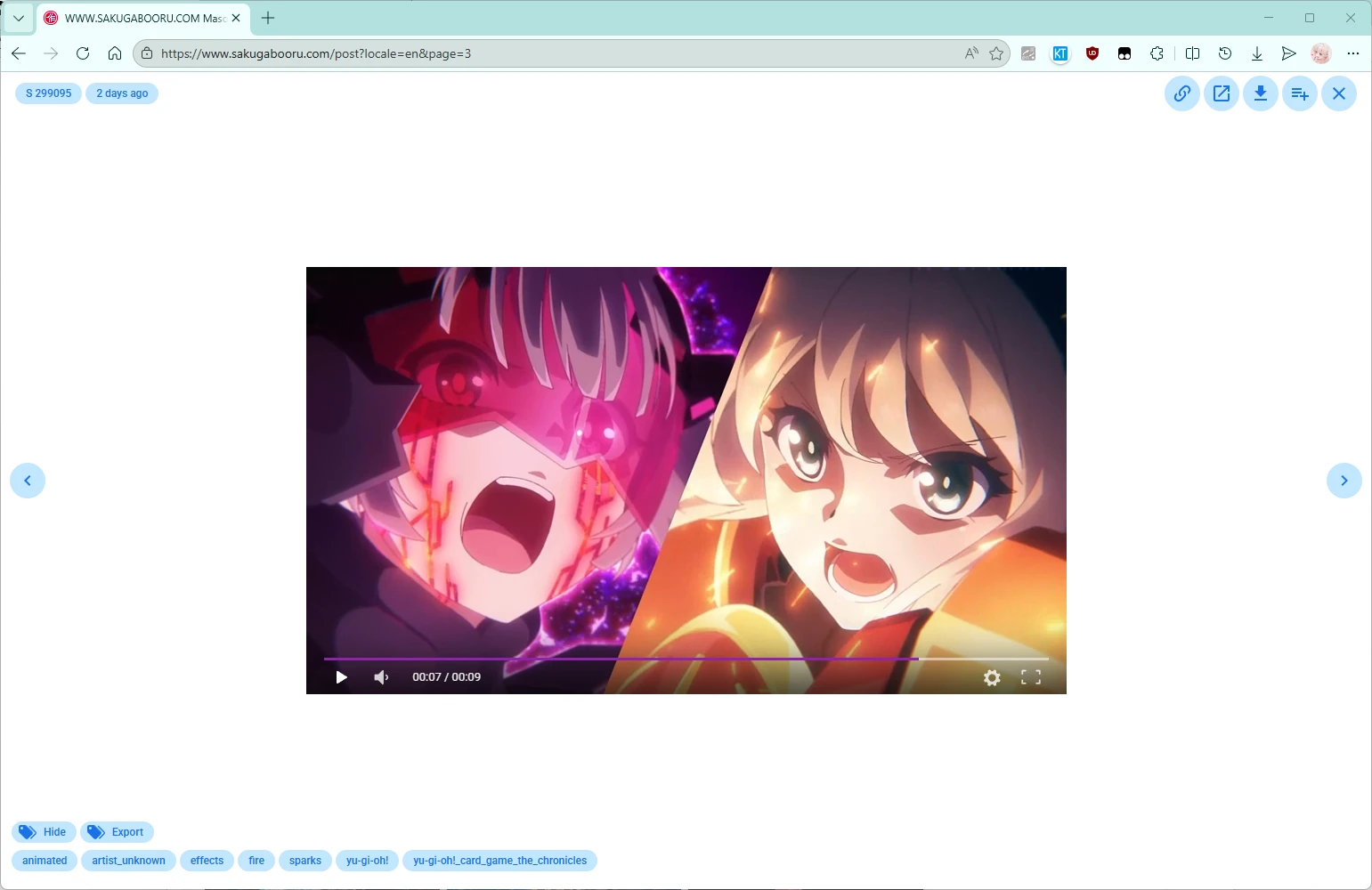
Sakugabooru https://www.sakugabooru.com Almost full support

Basic Support (Masonry)

Site URL Features
Danbooru https://danbooru.donmai.us Basic support
Gelbooru https://gelbooru.com Basic support (API Key required)
Rule34 https://rule34.xxx Basic support (API Key required)
Safebooru https://safebooru.org Basic support
AIBooru https://aibooru.online Basic support
Xbooru https://xbooru.com Basic support
ATFBooru https://booru.allthefallen.moe Basic support
TBIB https://tbib.org Basic support
Rule34 Paheal https://rule34.paheal.net Basic support
Lolibooru https://lolibooru.moe Basic support (site currently unavailable)
3dbooru http://behoimi.org Basic support (site currently unavailable)

Limited Support (Masonry, partial feature limitations)

Site URL Notes
Anime Pictures https://anime-pictures.net Partial feature limitations
Anihone Wallpaper https://anihonetwallpaper.com Partial feature limitations
All Girl https://allgirl.booru.org Partial feature limitations
e-shuushuu https://e-shuushuu.net Partial feature limitations
Zerochan https://www.zerochan.net Partial feature limitations
Sankaku App https://sankaku.app Partial feature limitations (unstable)
Sankaku Complex https://chan.sankakucomplex.com Partial feature limitations (unstable)
Idol Complex https://www.idolcomplex.com Partial feature limitations (unstable)
Realbooru https://realbooru.com Partial feature limitations
Hentai Booru https://booru.eu Partial feature limitations
Kusowanka https://kusowanka.com Partial feature limitations
Nozomi.la https://nozomi.la Partial feature limitations
Rule34 Hentai https://rule34hentai.net Partial feature limitations

⚠️ Note

  • The primary supported sites are Yande.re and Konachan; other sites have basic support
  • Some sites may have inconsistencies between page listings and API responses
  • Some sites require setting an API Key to function properly
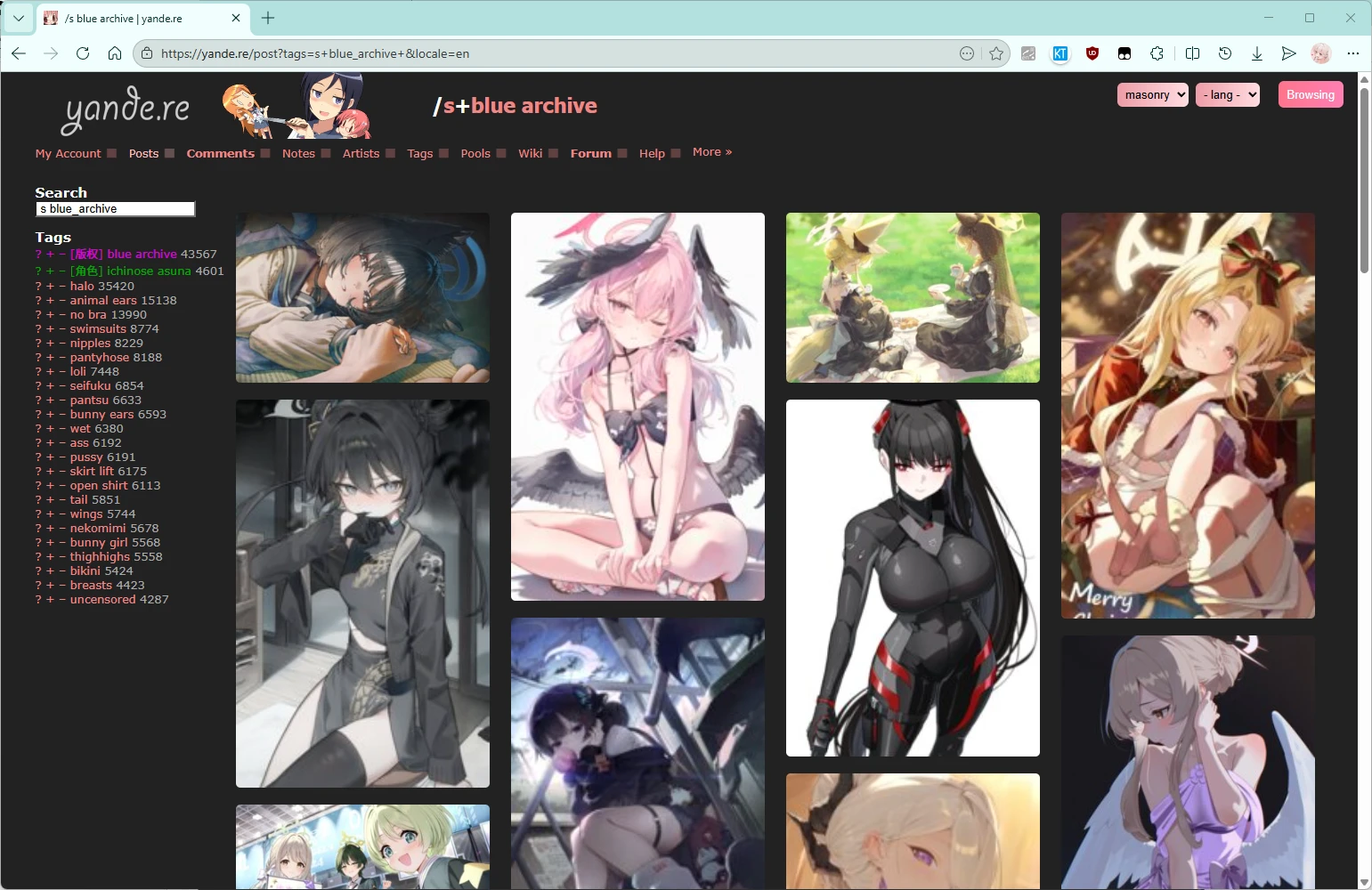
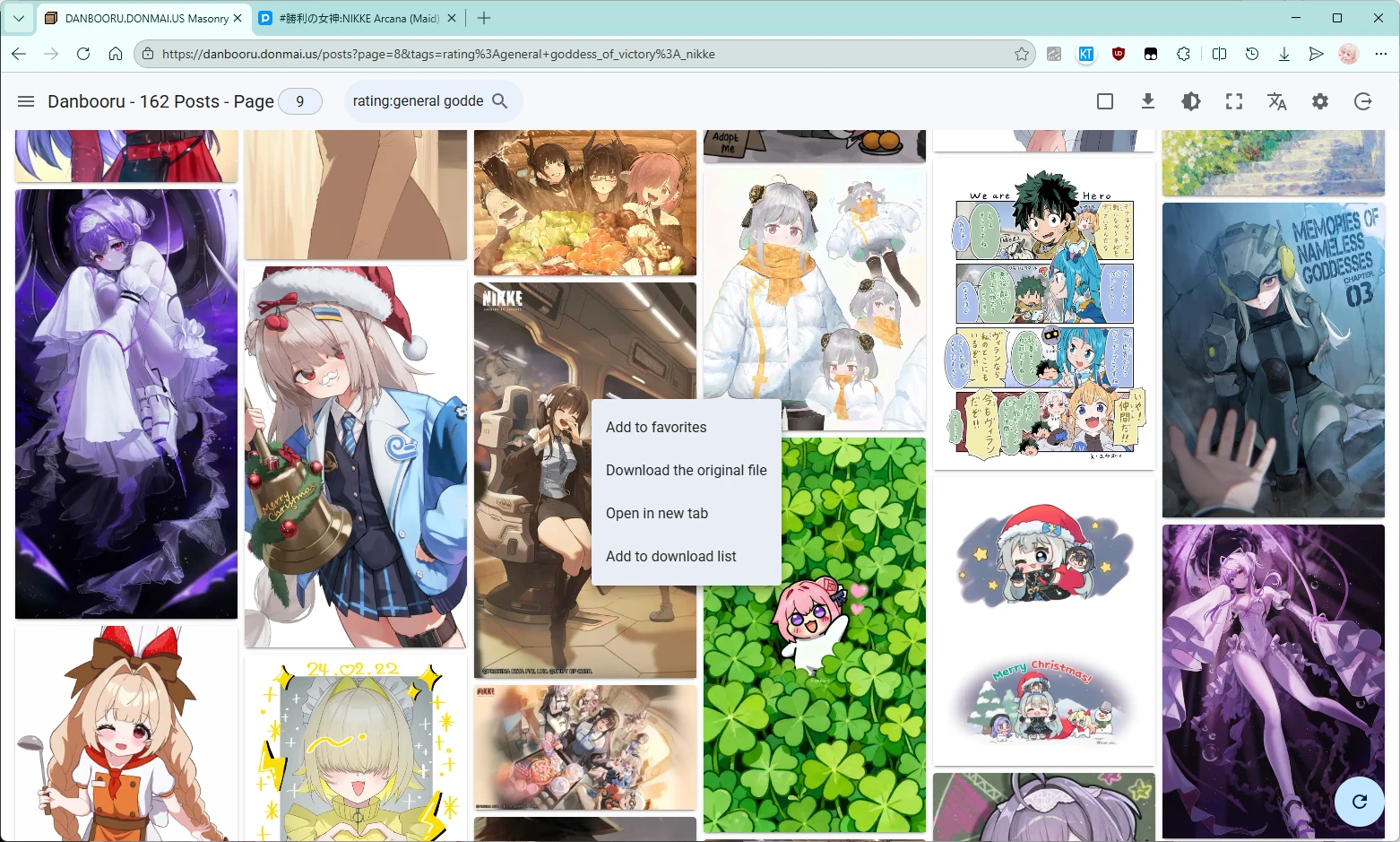
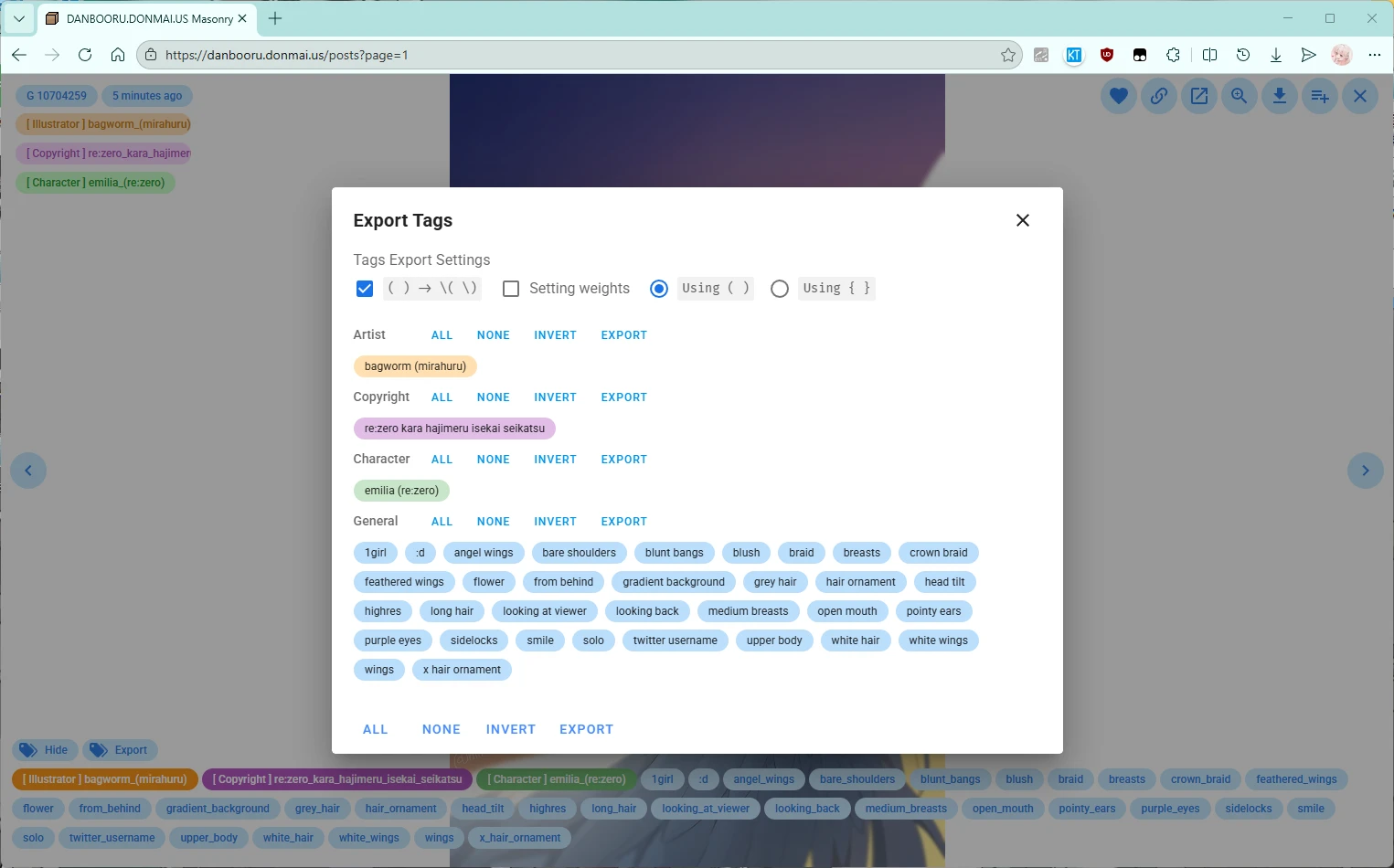
📸 Screenshot Display


🚀 Installation Guide

⚠️ Compatibility:

  • The primary testing environment is Windows + Chrome/Edge browser
  • Firefox browser is supported to the best of our ability
  • macOS + Safari support is limited

Method 1: Install via Greasy Fork (Recommended)

  1. Install a userscript manager (if not already installed):
  1. Install the script:
  1. Verify installation:
  • Visit any supported site (e.g., yande.re)
  • A "Enter Masonry" button should appear in the top-right corner of the page

Method 2: Install Directly from GitHub

  1. Download the script file:
  • Click to download
    1. Open the userscript manager
    2. Click "Create new script" or drag the file to install

Method 3: Try the Web Version

No installation required, experience it directly in the browser:

Update Script

The script checks for updates automatically, or update manually:

  • Click "Check for updates" in the Tampermonkey dashboard
  • Or reinstall the latest version

📖 Usage Guide

Quick Start

  1. Visit any supported site (e.g., yande.re/post)
  2. Click the "Enter Masonry" button in the top-right corner
  3. Enjoy the brand-new browsing experience!

Masonry Mode Operations

Top Toolbar

Icon Function
⚙️ Open settings
1️⃣ Page number switching
Browse my favorites
🔥 Browse popular works
🔀 Random browsing
🔍 Tag search
☑️ Batch selection
⬇️ Download manager
☀️ Dark mode toggle
Fullscreen mode
🌐 Language switching
⏏️ Exit masonry mode

Sidebar

  • Site Switching: Quickly switch between different sites
  • Blacklist Management: Add tags you don't want to see
  • API Credentials: Set credentials for sites that require login
  • NSFW Control: Show/hide sensitive content
  • Layout Mode: Masonry/Grid/Justified/Virtual
  • Column Settings: Auto or 1–20 columns
  • Keyboard & Wheel: Control image switching in detail view
  • Image Preloading: Control detail image preloading and quantity
  • Large Thumbnails: Control whether list thumbnails use large image links
  • Fixed Container Width: Control whether the image list leaves margins on both sides
  • Auto Enter: Control whether to automatically enter masonry mode
  • Info Display: Control whether image resolution is shown in the image list
  • Button Position: Control the position of the action button bar in image detail view
  • Close Behavior: Control how closing the detail popup is triggered
  • Viewer Tool: Fancybox plugin can be used to view image details

Image Operations

List:

  • Single click: Open image details
  • Right click: Quick menu (favorite, download, open details, etc.)
  • Middle click: Middle mouse button click the detail link button to open in a new tab

Details:

  • Detail link
  • Source link
  • Artist link
  • Tag links
  • Tag display
  • Tag export
  • Favorite artwork
  • Zoom image
  • Download artwork

Shortcuts

Key Function
/ Previous/Next image
A / D Previous/Next image
Enter Search tags
Mouse wheel Previous/Next image
Middle mouse button Open link in new tab

Tag Search

  1. Click the 🔍 search button
  2. Enter tags (English only supported)
  3. Real-time autocomplete suggestions are shown
  4. Press Enter to perform the search

Batch Download

  1. Select the images you want to download
  2. Click the ⬇️ download button
  3. Choose:
  • Direct download: Use the browser download manager
  • Export links: Save as a TXT file and download with other tools
    1. Configure download source (Y site / K site): original image / JPG compressed image

Favorites Feature

Supported sites:

  • yande.re
  • konachan.com
  • konachan.net
  • danbooru.donmai.us
  • gelbooru.com
  • rule34.xxx

❓ FAQ

Q: Why are some site features incomplete?

A: The project is mainly optimized for Yande.re and Konachan. Other sites receive basic support. Some site API limitations or structural differences cause feature restrictions.

Q: Why do images in masonry mode differ from the original site list?

A: Masonry mode uses site APIs to fetch data, which may differ from page rendering logic. This is normal.

Q: What if tag translations are incomplete?

A: PRs are welcome to add translations! See the "Contributing Translations" section for details.

Q: How do I disable a feature?

A: Most features can be turned off in the settings sidebar, such as thumbnail enlargement and NSFW display.

Q: Does the script support mobile devices?

A: Partially supported. Mainly optimized for desktop; mobile experience may be imperfect.

Q: Why can’t some sites be used?

A: Login and API credentials are required. Set credentials in the sidebar to enable usage.

Q: Why is the download feature slow?

A: Browsers have concurrent download limits. It is recommended to use the "Export links" feature with professional download tools (such as IDM, wget, aria2, etc.).

Q: How can I report issues or suggestions?

A: Please submit feedback on GitHub Issues.


🎯 Technical Details

Frontend Tech Stack

  • Vue 2.7 + Composition API:

    • Uses Vue 2.7 Composition API features
    • <script setup> syntax for cleaner code
    • Reactive state management with excellent performance
  • TypeScript Strict Mode:

    • Type safety guarantees
    • Intelligent hints and autocomplete
    • Reduced runtime errors
  • Vite Build Tool:

    • Extremely fast development experience
    • HMR (Hot Module Replacement)
    • Optimized production builds

Core Technical Implementation

  • Masonry Layout Algorithm:

    • Adaptive column count calculation
    • Minimized gaps
    • Supports multiple layout strategies
  • Smart Preloading:

    • Preloads images for the next screen
    • Configurable preload count
  • Virtual Scrolling:

    • Renders only visible elements
    • Supports smooth scrolling with large image sets
    • Low memory usage

Multi-site Architecture

  • Unified API Abstraction:

    • The @himeka/booru library provides most interfaces
    • Automatically adapts API differences between sites
    • Easy to extend to new sites
  • Dynamic Site Detection:

    • Automatically identifies the current site
    • Loads the corresponding adapter
    • Intelligently handles special cases

💻 Development Guide

The project code is not AI-generated; only the README file is AI-optimized

Tech Stack

  • Framework: Vue 2.7 (Composition API)
  • Language: TypeScript
  • Build: Vite 2.9
  • UI Components: Vuetify 2
  • State Management: Vue.observable
  • Layout: vue-masonry-css, @lhlyu/vue-virtual-waterfall
  • Internationalization: vue-i18n
  • Utility Libraries: @vueuse/core, date-fns
  • API: @himeka/booru

Environment Requirements

  • Node.js >= 16
  • npm or yarn
  • Git

Development Steps

# 1. Clone the repository
git clone https://github.com/asadahimeka/yandere-masonry.git
cd yandere-masonry

# 2. Install dependencies
pnpm install

# 3. Start the development server
pnpm run dev

# 4. Open in browser
# - Visit http://127.0.0.1:3000/_development.user.js to install the development script
# - Load the development version on supported sites

Available Commands

pnpm run dev          # Start development server
pnpm run build        # Build production version
pnpm run release      # Release process (version management)
pnpm run lint         # Code linting

Project Structure

yandere-masonry/
├── src/
│   ├── api/              # API adapters for each site
│   │   ├── danbooru.ts   # Danbooru API
│   │   ├── moebooru.ts   # Y/K site API
│   │   ├── gelbooru.ts   # Gelbooru API
│   │   └── ...
│   ├── components/        # Vue components
│   │   ├── AppBar.vue     # Top toolbar
│   │   ├── PostList.vue   # Image list
│   │   ├── PostDetail.vue # Image detail
│   │   └── ...
│   ├── store/            # State management
│   │   ├── index.ts      # Main store
│   │   └── actions/      # State actions
│   ├── utils/            # Utility functions
│   │   ├── index.ts      # General utilities
│   │   └── i18n.ts       # Internationalization config
│   ├── data/             # Static data
│   │   └── tags_cn.json  # Chinese translations
│   ├── plugins/          # Vue plugins
│   │   ├── vuetify.ts       # Vuetify config
│   │   └── webfontloader.ts # Font loader
│   ├── App.vue          # Root component
│   ├── main.ts          # Entry file
│   └── prepare.ts       # Script initialization
├── scripts/             # Build scripts
│   ├── postbuild.mjs    # Post-processing
│   └── release.mjs      # Release process
├── package.json
├── vite.config.ts       # Vite config
├── tsconfig.json        # TypeScript config
└── .eslintrc.json       # ESLint config

Code Standards

  • Formatting: 2-space indentation, no semicolons, single quotes
  • Naming: camelCase variables/functions, PascalCase components, UPPER_SNAKE_CASE constants
  • Typing: Strict TypeScript, explicit type annotations
  • Components: Use Composition API + <script setup>
  • Imports: Use @/ alias for local modules

Adding New Site Support

  1. Create a new adapter file in src/api/
  2. Implement site-specific API calls
  3. Register the site
  4. Test functionality
  5. Submit a PR

Contributing Translations

  1. Fork the repository
  2. Edit the corresponding translation files:

📝 Changelog

View the complete version history and update details: CHANGELOG.md


🤝 Contributing Guide

All forms of contribution are welcome!

How to Contribute

  1. Fork this repository
  2. Create a feature branch: git checkout -b feature/AmazingFeature
  3. Commit changes: git commit -m 'Add some AmazingFeature'
  4. Push to the branch: git push origin feature/AmazingFeature
  5. Submit a Pull Request

Types of Contributions

  • 🐛 Bug fixes
  • ✨ New features
  • 📝 Documentation improvements
  • 🎨 Style optimization
  • ⚡ Performance optimization
  • 🌍 Internationalization translations
  • ✅ Test cases

🙏 Acknowledgements

This project would not be possible without the following open-source projects:

Special thanks:

  • TSUKYU for generous support

📄 License

This project is open-sourced under the MIT License.

Copyright © 2022 Yumine Sakura


💖 Sponsorship

If this project has helped you, feel free to buy me a coffee:

ko-fi

Your support is my motivation to continue updating!


📊 Statistics

GitHub stars GitHub forks GitHub watchers

yandere-masonry